
Termius Free vs Pro 2026: What $120 a Year Actually Buys
Termius free vs Pro: Starter has SSH, SFTP, jump hosts and port forwarding. Pro at $10 a month billed yearly adds sync, session logs and startup snippets.
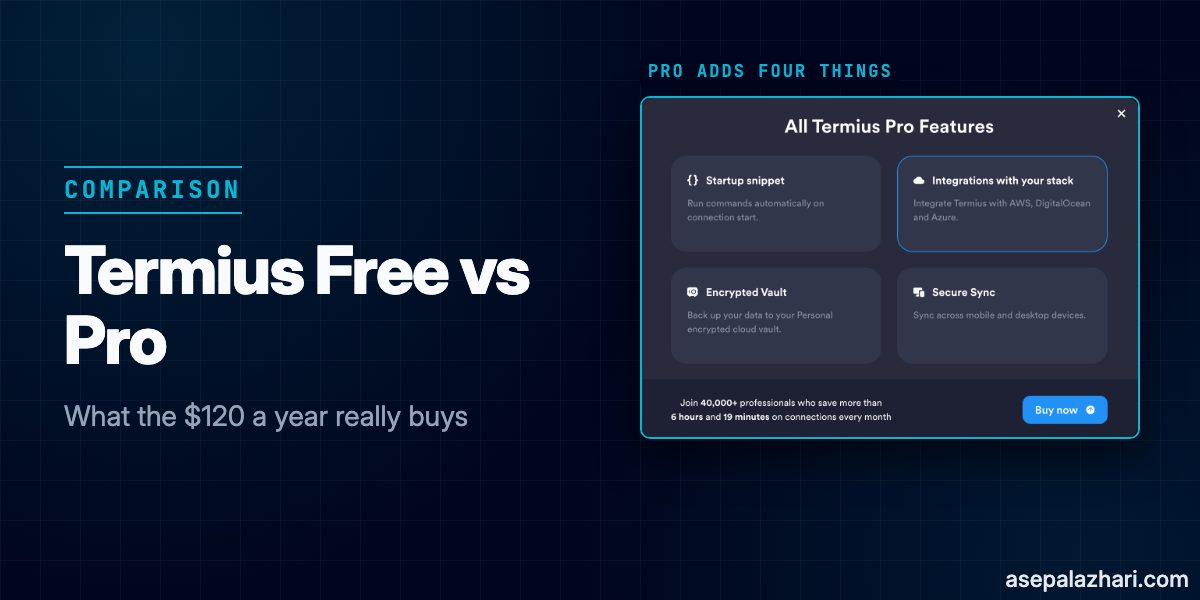
Termius is an SSH client for desktop and mobile, and its free Starter plan already covers SSH, SFTP, port forwarding, jump hosts, and agent forwarding. Pro costs $10 per month when billed yearly ($120 per year), and it adds four things: a cloud vault with sync across your devices, session logs, startup snippets, and imports from AWS, DigitalOcean, and Azure.
If you use Termius on one computer, Starter is enough. You only need Pro when you want the same hosts on your Mac and your iPhone, or one of the other three features. I checked this on the official pricing page, the billing portal, the changelog, and a local test server on November 21, 2026. Nobody paid for this article and it has no affiliate links.
Termius Free vs Pro at a Glance
This table comes from the “Compare features” section of the Termius pricing page, checked on November 21, 2026. The short cards at the top of that page list fewer features, so I used the full table.
| Feature | Starter (free) | Pro |
|---|---|---|
| SSH, SFTP, Telnet, Mosh, local terminal | Yes | Yes |
| Port forwarding | Yes | Yes |
| Agent forwarding | Yes | Yes |
| Jump host and host chain | Yes | Yes |
| SOCKS and HTTP proxy, serial | Yes | Yes |
| SSH certificates, FIDO2, Touch ID and Face ID, PIN lock, 2FA | Yes | Yes |
| Environment variables, shell history, autocomplete, workspaces | Yes | Yes |
| Snippets and snippet multi-execution | Yes | Yes |
| Startup snippets | No | Yes |
| Sync across desktop and mobile | No, local vault only | Yes, personal cloud vault |
| Session log retention and log bookmarks | No | Yes |
| AWS, DigitalOcean, and Azure integrations | No | Yes |
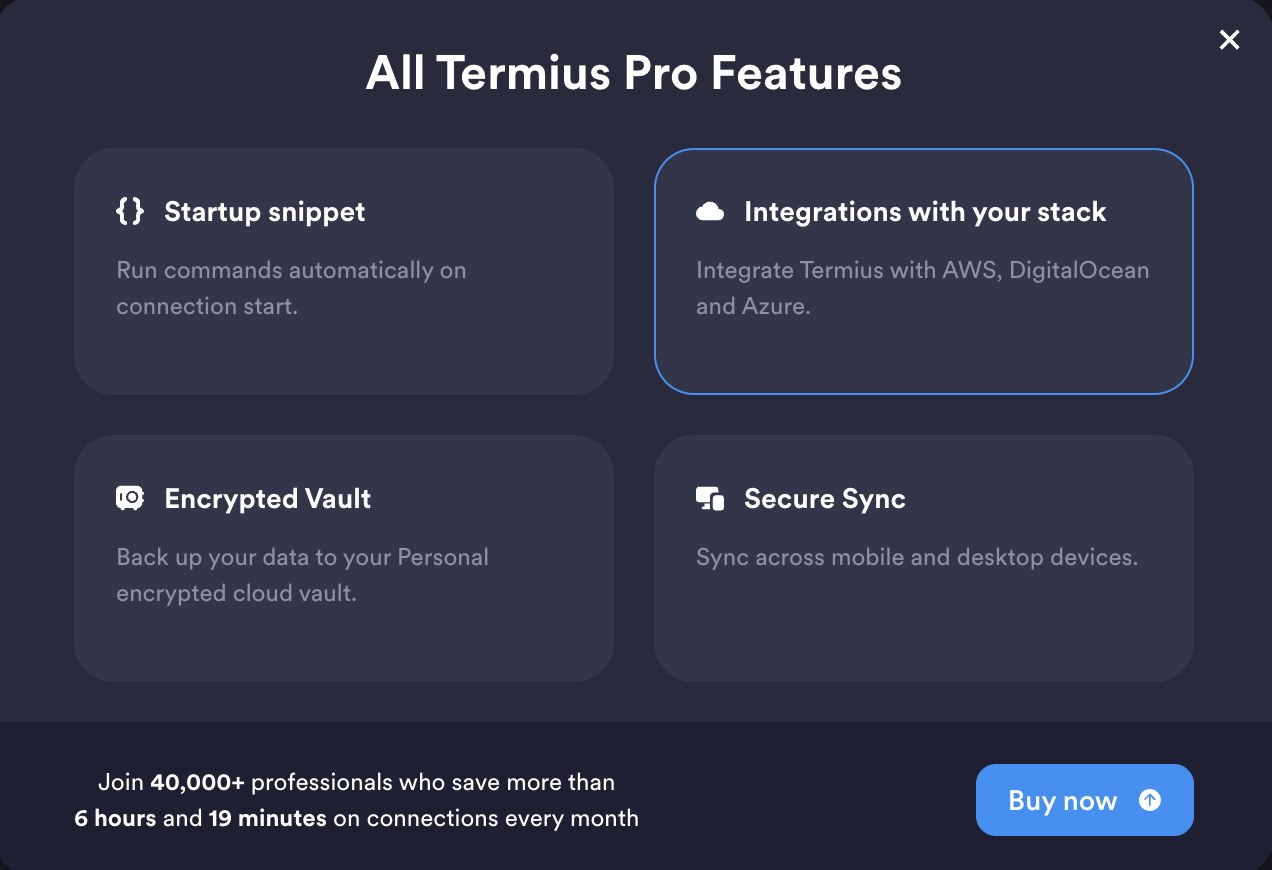
Termius confirms the same four limits itself. When I tapped an AWS import on the free plan, it opened a dialog called “All Termius Pro Features” with exactly these tiles: Startup snippet, Integrations with your stack, Encrypted Vault, and Secure Sync. Session logs show a separate banner on the Logs screen.
Is Termius Free? What the Starter Plan Includes
Yes. Starter is free, and the pricing page says it is available for commercial usage. You do not need a credit card.
Starter works as a normal, complete SSH client. Your hosts, keys, and passwords live in a local vault on one device. The only thing missing is the sync between devices, and the cloud backup that comes with it.
One detail catches people who test the free plan. According to the Termius FAQ, a new account starts a trial that unlocks Pro, Team, and Business features. So a fresh sign-up does not show you what Starter really does. You can log out and use Termius locally without an account, or wait until the trial ends. On iOS the trial is handled by Apple, and the trial FAQ warns that you are charged automatically when it ends. On desktop the trial is free and does not renew by itself.
What Changed in 2026: Features That Moved to the Free Plan
Older comparison pages still list several of these as paid. The official changelogs for desktop and iOS say otherwise:
| Feature that is now free | Desktop version and date | iOS version and date |
|---|---|---|
| Proxy, agent forwarding, host chains, serial | 10.1.0, September 21, 2026 | 7.9.0, September 30, 2026 |
| SSH certificates and environment variables | 9.34.8, December 22, 2025 | 7.3.1, December 22, 2025 |
| Running a snippet on multiple hosts | 9.25.0, July 1, 2025 | not listed |
| FIDO2 hardware keys | 9.19.0, April 22, 2025 | not listed |
| Broadcast mode | 9.17.1, March 21, 2025 | not listed |
| AI in the terminal (needs an account) | 8.10.4, March 28, 2024 | 5.8.5, July 16, 2024 |
You can see the effect in the app. After I updated Termius to 10.4.1, the “Serial” button in the Hosts toolbar no longer carries an upgrade badge.

What I Tested on the Free Plan
I ran Termius 10.4.1 on macOS 27 with my account on the Starter plan. The target was a Docker lab: two OpenSSH containers and one nginx container on a private network. Only the first SSH container was exposed on port 2222. The second one had no public port, so the only way to reach it was through the first as a jump host. A jump host is a server you connect through to reach another server that your machine cannot reach directly.
services:
    web-test:
        image: nginx:alpine
    ssh-test:
        image: lscr.io/linuxserver/openssh-server
        ports:
            - "2222:2222"
        volumes:
            - ./enable-forwarding.sh:/custom-cont-init.d/enable-forwarding.sh:ro
        environment:
            - PASSWORD_ACCESS=true
            - USER_NAME=tester
            - USER_PASSWORD=lab-pass-123
    ssh-inner:
        image: lscr.io/linuxserver/openssh-server
        environment:
            - PASSWORD_ACCESS=true
            - USER_NAME=tester
            - USER_PASSWORD=lab-pass-123
One trap if you copy this. The linuxserver/openssh-server image ships with AllowTcpForwarding no, so port forwarding and jump hosts fail on the server side and look like a Termius problem. The script mounted above fixes it:
#!/bin/sh
sed -i 's/^AllowTcpForwarding no/AllowTcpForwarding yes/' /config/sshd/sshd_config
Results, all on the free plan:
| Test | Result |
|---|---|
| SSH to the first container | Connected, shell prompt appeared |
| Jump host (host chain) | Chain of lab-ssh then lab-inner connected. The hostname in the terminal matched the second container |
| Local port forwarding | Port 9000 on my Mac reached nginx through the first container |
| SFTP | Connected and listed the remote directory |

For the jump host test I compared the hostname shown in Termius with the hostname of the second container:
$ docker exec lab-ssh-inner-1 hostname
7229663b45c2
The chained Termius session showed the prompt 7229663b45c2:~$, while the direct session to the first container showed 97614b031793:~$.
For the forwarding test I started the rule in Termius, then ran this on the Mac:
$ curl -s localhost:9000 | grep -o "<title>.*</title>"
<title>Welcome to nginx!</title>
Termius itself was the process listening on 127.0.0.1:9000, which lsof confirmed. If you need a tunnel that stays up on a server instead of inside a desktop app, see OpenClaw Remote Setup: SSH Tunnel and PM2.

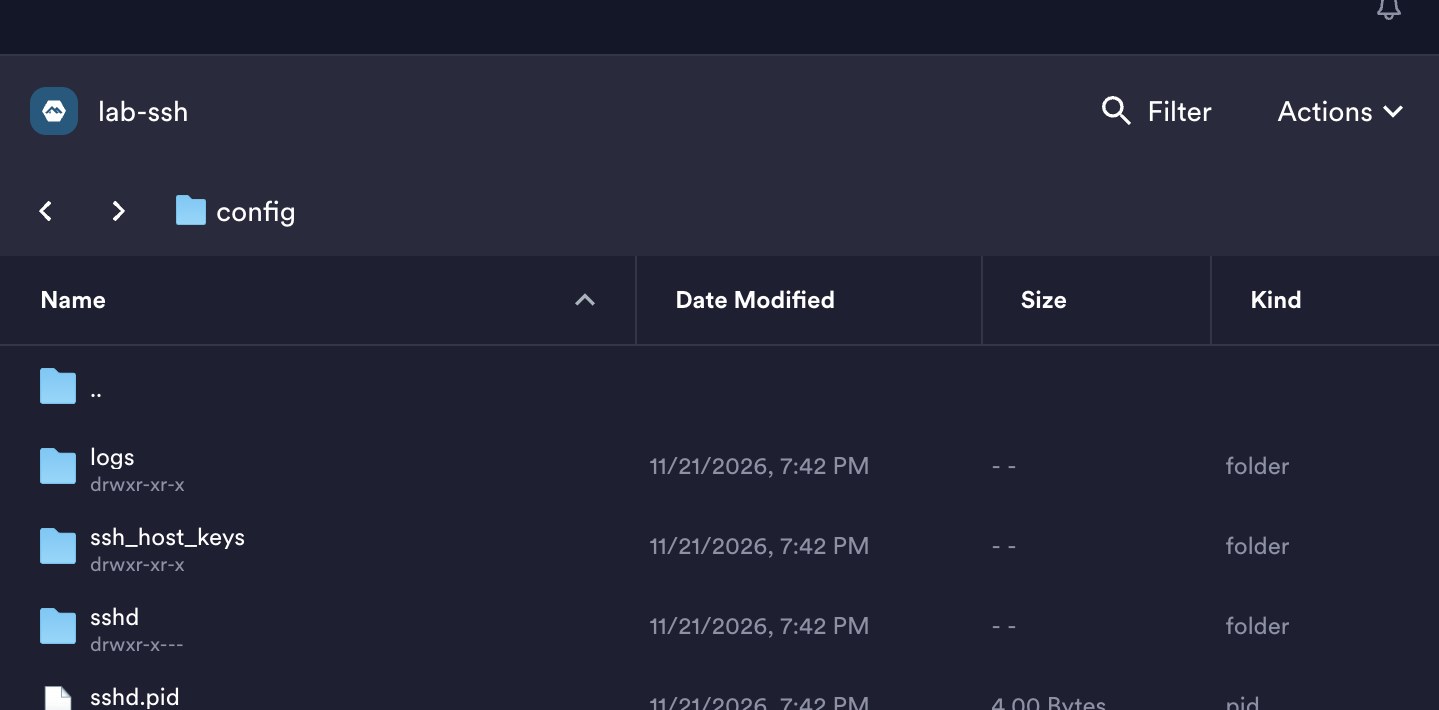
The remote pane listed logs, ssh_host_keys, sshd, and sshd.pid under /config.
What Pro Adds for $120 a Year
Pro adds four things on top of Starter.
- Cloud vault and sync. Your hosts, keys, and snippets follow you across desktop and mobile. This is the main reason to pay.
- Session logs. Termius records terminal sessions per host, and Pro lets you bookmark them with notes. On the free plan the Logs screen shows “Logs are not available on your current plan.”
- Startup snippets. A command that runs by itself when a connection starts.
- AWS, DigitalOcean, and Azure integrations. They import your instances as hosts and keep them updated.

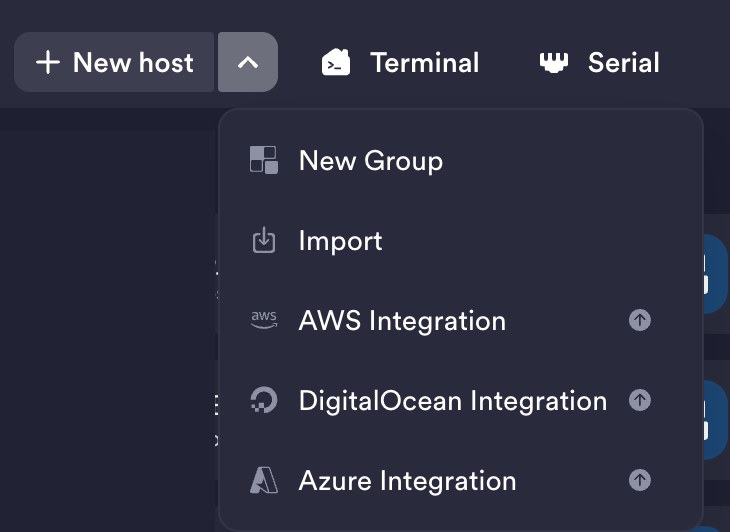
In the New host menu, only the three cloud integrations carry an upgrade badge. Import and New Group do not.
Termius Pricing in 2026: Yearly, Monthly, and iPhone
The yearly price on the pricing page is the headline number. The billing portal shows what you pay if you choose monthly billing, and the iOS app uses its own App Store prices. All three below were checked on November 21, 2026.
| Plan | Billed yearly (per month) | Billed monthly | iPhone App Store, Indonesia |
|---|---|---|---|
| Starter | Free | Free | Free |
| Pro | $10 ($120 per year) | $15 | Rp40,833 per month yearly (Rp490,000 per year), or Rp69,000 monthly |
| Team | $20 per seat | $24 per seat | shown in US dollars, same as web |
| Business | $30 per seat | $36 per seat | shown in US dollars, same as web |
| Enterprise | Custom | Custom | Not shown in the app |
Billing yearly saves $60 per year on Pro. The portal labels it “save up to 33%”. On iPhone the gap is bigger: Rp69,000 a month is Rp828,000 a year, against Rp490,000 when billed yearly, which the app labels “save up to 41%”.
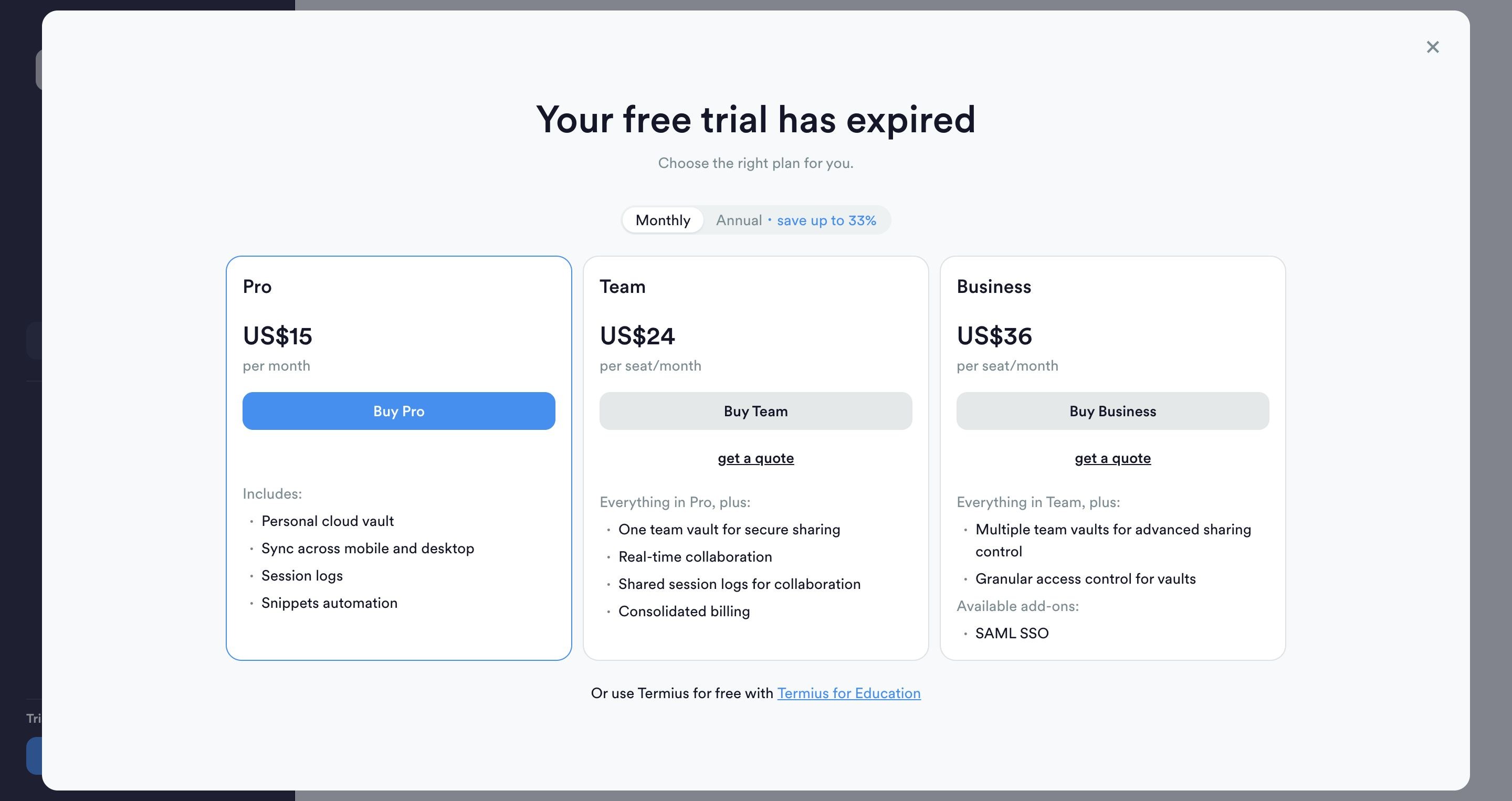
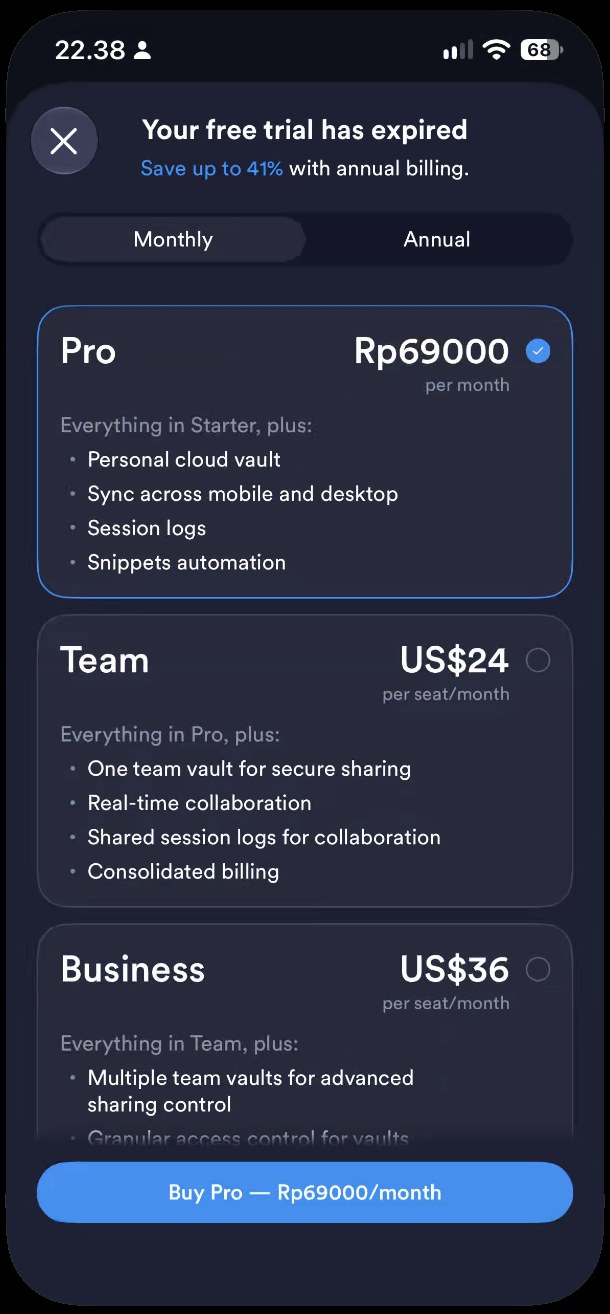
Some third-party comparison pages quote a monthly Pro price near $19.99. My billing page showed $15. Prices change and vary by region, so check termius.com/pricing before you buy.
Students can get Pro and Team for free through the GitHub Student Developer Pack, according to the Termius billing docs.
Does Termius Have a Lifetime Plan?
No. The billing docs say paid plans are available only as subscriptions, and the pricing page lists no one-time option on any tier. If you see a “Termius lifetime” deal on another site, check it with Termius before paying.
If a one-time purchase matters to you, a different client is the answer. I compared the Apple options in Termius Alternative for iOS and Mac.
Also Read: Termius Alternative for iOS and Mac: 5 Options (2026)
What Happens When Your Pro Subscription Ends?
Pro features turn off. That includes sync, so changes you make afterwards stay on the device and no longer go to the cloud vault. The Termius FAQ adds one warning: if you log out while you have unsynced changes, those changes are lost. So export or write down your hosts before you log out of a lapsed account.
Which Termius Plan Should You Pick?
- You use one computer, or you never need your hosts on your phone: Starter. It costs nothing and nothing important is missing.
- You want the same hosts on a Mac and an iPhone: Pro, because sync is the whole point. Budget $120 per year on the web or Rp490,000 per year through the App Store.
- You want recorded sessions with bookmarks: Pro.
- You want a command to run on every connection: Pro for startup snippets, or put the command in the remote shell profile for free.
- You manage EC2, DigitalOcean, or Azure machines and want them imported: Pro.
- You work in a team and share hosts: Team at $20 per seat per month billed yearly.
- You are a student: apply for the GitHub Student Developer Pack and get Pro for free.
For a similar free-versus-paid decision in another tool, see Navicat Premium Lite vs Premium 18.
Also Read: Navicat Premium Lite vs Premium 18: Honest Review (2026)
What I Did Not Test
I did not use Pro, so everything about sync, session logs, startup snippets, and cloud imports comes from the pricing table, the official dialog, and the documentation, not from my own use. I also did not test SFTP file transfers or running a snippet on several hosts at once. For the second one I rely on the changelog, which lists it as free since desktop 9.25.0. I tested on macOS only, so Windows, Linux, and Android behavior may differ. Termius moves features between plans fairly often, so the date at the top of each table matters.