
Termius Alternative for iOS and Mac: Why I Chose WebSSH
Looking for a Termius alternative on iOS and Mac? I tested WebSSH, Blink Shell, ServerCat, and Secure ShellFish after 3 years on Termius Pro. WebSSH won.
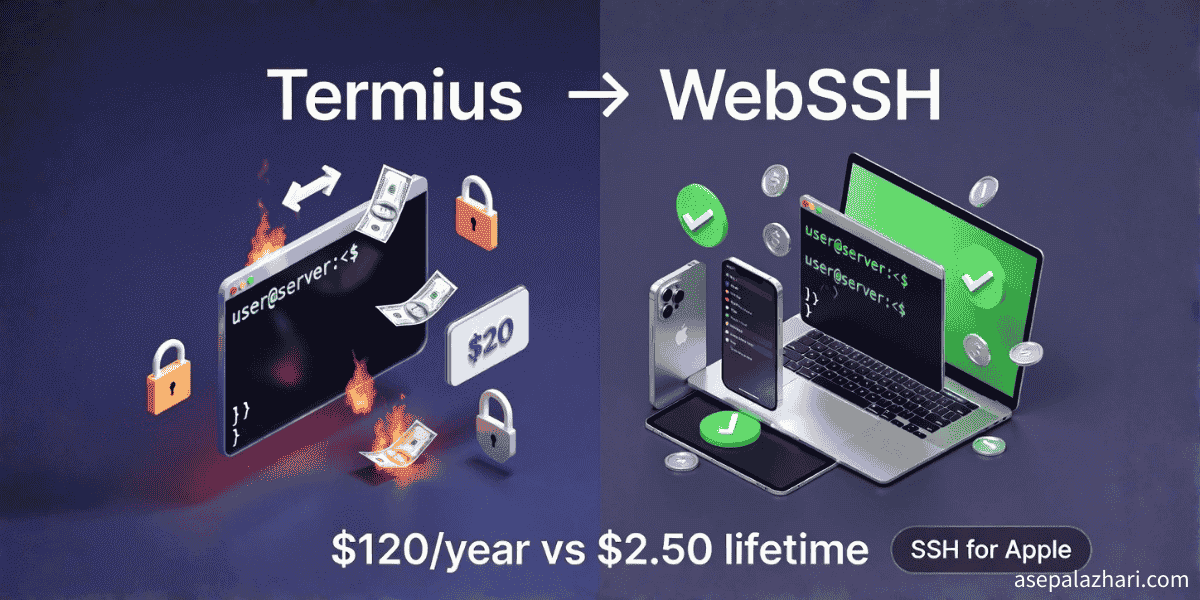
The best Termius alternative for iPhone, iPad, and Mac, if you work solo in the Apple ecosystem, is WebSSH. It covers SSH, SFTP, port forwarding, and iCloud sync, and the Pro upgrade is a one time IDR 39,000, about $2.50. Termius sells its paid plans only as subscriptions, so staying means paying every year. Pick Blink Shell for heavy iPad terminal work, Secure ShellFish if you want servers inside the Files app, or stay on Termius if you need Windows, Linux, Android, or team sharing.
Quick Picks: Termius Alternatives by Use Case
| If you need | Pick | Why |
|---|---|---|
| Cheapest full SSH client on iOS and macOS | WebSSH | One time purchase, iCloud sync |
| iPad as a primary dev machine | Blink Shell | Mosh, tmux friendly, strong keyboard support |
| Edit remote files from Files app or Finder | Secure ShellFish | Mounts servers as file providers |
| SSH plus server monitoring | ServerCat | CPU, RAM, and disk graphs next to the terminal |
| Windows, Linux, Android, or team vaults | Stay on Termius | Cross platform and team features |
From $360+ Spent to a $2.50 One-Time Purchase
After spending over $360 on Termius subscriptions across 3+ years, I discovered something that changed my mobile SSH workflow forever: WebSSH, an iOS and macOS SSH client that costs just IDR 39,000 (approximately $2.50 USD) as a one-time purchase, with all the features I actually use in my daily work.
This isn’t another “cheap vs expensive” debate. This is about finding the right tool that integrates seamlessly with the Apple ecosystem I already pay for, eliminates recurring subscription fatigue, and delivers exactly what I need without feature bloat.
Let me share how I went from a loyal Termius Pro subscriber to a WebSSH advocate, and why you might want to consider the same switch if you’re tired of paying $10/month for features you rarely use.
My 3+ Years Journey with Termius Pro
Since around 2022, Termius has been my go-to SSH client across my iPhone, iPad, and MacBook. The promise was compelling: seamless sync across all devices, beautiful interface, and professional-grade features. At $10/month ($120/year), I justified it as a necessary business expense.
What I loved about Termius:
- Gorgeous, modern interface that felt native on all Apple devices
- Cloud sync that “just worked” across iOS, iPadOS, and macOS
- SFTP support for quick file transfers
- Snippet library for frequently used commands
- Port forwarding for secure tunneling
The reality check: After analyzing my usage patterns over the past year, I realized I was using maybe 40% of Termius’s premium features. The visual bells and whistles were nice, but did they justify $120 per year? That’s $360+ over three years – serious money for what’s essentially SSH access with sync.
The breaking point came when I started exploring alternatives, not because Termius was bad, but because I wondered if I could get the same functionality without the recurring cost.
The Search for Termius Alternatives in Apple Ecosystem
Finding a Termius replacement that works smoothly on both macOS and iOS is surprisingly challenging. The Sync feature (cross-device synchronization) is typically a premium, subscription-based feature across most SSH clients.
Here’s what I needed in a Termius alternative:
- Native iOS and macOS support
- Reliable sync between devices
- SSH, SFTP, and port forwarding
- One-time purchase or significantly cheaper than $120/year
- No compromise on security
After extensive research and testing, I evaluated five serious contenders. Let me break down what I found.
The Contenders: 5 Termius Alternatives Reviewed
1. WebSSH (The Winner)
WebSSH emerged as the strongest Termius competitor in the Apple ecosystem, and here’s why it won me over:
Pricing Model:
- Free version available with basic SSH functionality
- Pro version: IDR 39,000 (~$2.50 USD) one-time purchase (lifetime access)
- No recurring subscription – pay once, own forever
Key Features:
- Full SSH, SFTP, and port forwarding support
- iCloud sync – leverages your existing Apple infrastructure
- Native iOS, iPadOS, and macOS apps with consistent UI
- Multiple connection profiles with organized folders
- Snippet support for frequently used commands
- Dark mode and interface customization
Why It Beats Termius:
- Privacy-first: Uses iCloud sync instead of third-party cloud servers
- Cost-effective: $2.50 once vs $360+ over three years
- Apple-native: Built specifically for Apple ecosystem, not cross-platform compromise
- No vendor lock-in: Your SSH configs live in iCloud, not proprietary cloud
2. Blink Shell (Best for iPad Power Users)
If you’re heavily invested in iPad-as-a-computer workflow with external keyboard, Blink Shell is the gold standard.
Pricing:
- Paid app on App Store (one-time purchase, typically around $20-30)
- Open source – you can compile it yourself for free if you have developer tools
Strengths:
- Blazing fast (built on Mosh protocol)
- VS Code integration via
code-server - Excellent keyboard support and shortcuts
- Configuration sync via file/git repositories
- True terminal emulation with tmux support
Limitations:
- No official macOS version (iOS/iPadOS only)
- Steeper learning curve compared to GUI-focused clients
- Sync requires manual setup via git or file sharing
When to choose Blink: If you treat your iPad as a primary development machine and value raw terminal power over GUI convenience.
3. ServerCat (Monitoring + SSH Combo)
ServerCat stands out by combining SSH access with server monitoring, making it popular among sysadmins managing multiple production servers.
Pricing:
- Free version with basic features
- Premium subscription (more affordable than Termius, typically $2-5/month or one-time purchase options)
Unique Features:
- Real-time server monitoring (CPU, RAM, disk usage)
- Beautiful graphs and dashboard
- Native iOS and macOS apps
- SSH terminal access
- Alert notifications for server issues
Trade-offs:
- Monitoring features add complexity if you just need SSH
- Premium features require subscription (though cheaper than Termius)
- Interface prioritizes monitoring over pure terminal experience
Best for: Developers who manage servers and want monitoring + SSH in one app.
4. Secure ShellFish (Files App Integration)
Secure ShellFish takes a unique approach by integrating SSH/SFTP directly into iOS Files app and macOS Finder.
Pricing:
- Free for basic usage
- Pro features via lifetime purchase (usually $20-30) or affordable subscription
Standout Features:
- Mount remote servers in Files app (iOS) and Finder (macOS)
- Edit remote files as if they’re local
- Solid SSH terminal included
- iCloud sync support
- Excellent file management interface
Considerations:
- Terminal experience is secondary to file management
- Some advanced SSH features missing
- Better for file work than pure terminal usage
Perfect for: Developers who frequently edit remote files and want seamless file system integration.
5. iTerm2 (macOS) + iSH (iOS) – The Free/Open Source Route
For the purists who want completely free and open-source solutions with manual sync:
macOS:
- iTerm2 – The legendary macOS terminal (completely free)
- Best terminal emulator on Mac, period
- Infinite customization options
- Zero cost, maximum power
iOS:
- iSH – Linux shell environment on iOS (free, open source)
- a-Shell – Unix shell for iOS (free alternative)
- Basic but functional
Sync Strategy: Store SSH configs (~/.ssh/config) in iCloud Drive, create symbolic links on both devices:
# On macOS
ln -s ~/Library/Mobile\ Documents/com~apple~CloudDocs/ssh-config ~/.ssh/config

# On iOS (via iSH or a-Shell)
ln -s /path/to/icloud/ssh-config ~/.ssh/config
Pros:
- Completely free
- No vendor lock-in whatsoever
- Maximum control and customization
Cons:
- Requires technical setup
- No unified interface across devices
- iOS experience is basic compared to dedicated apps
- Manual configuration management
Head-to-Head: WebSSH vs Termius Comparison
After weeks of testing WebSSH alongside Termius, here’s my honest breakdown:
| Feature | Termius Pro | WebSSH Pro | Winner |
|---|---|---|---|
| Pricing | $10/mo ($120/year) | $2.50 (one-time) | WebSSH |
| Sync Method | Termius Cloud | iCloud | WebSSH (privacy) |
| iOS App | Excellent | Excellent | Tie |
| macOS App | Excellent | Excellent | Tie |
| SSH Support | Full | Full | Tie |
| SFTP Support | Yes | Yes | Tie |
| Port Forwarding | Yes | Yes | Tie |
| Interface Design | Polished | Clean & Native | Tie |
| Snippets | Advanced | Basic but sufficient | Termius |
| Team Sharing | Yes (paid) | No | Termius |
| Cross-Platform | All platforms | Apple only | Termius |
| Privacy | Third-party cloud | Your iCloud | WebSSH |
| Total Cost (3 years) | $360 | $2.50 | WebSSH |
Verdict: For individual developers working primarily in the Apple ecosystem, WebSSH delivers 95% of Termius functionality at 2% of the cost.
Real-World Usage: My Daily WebSSH Workflow
Let me walk you through how I actually use WebSSH in my daily work as a developer managing multiple servers:
Morning Routine:
- Open WebSSH on iPhone during commute
- Quick server health checks via SSH
- Run monitoring commands I’ve saved as snippets
- Check log files via SFTP
Development Work: On my MacBook, I use WebSSH for:
- Connecting to staging servers for debugging
- Port forwarding to access remote databases securely
- SFTP file transfers for quick config updates
- Managing multiple server profiles organized by client/project
Evening Check: On iPad before bed, quick production server checks without opening laptop.
The Magic: All my server configurations, saved snippets, and connection history sync automatically via iCloud. I add a new server on my Mac, and seconds later it’s available on my iPhone. No extra setup, no additional cost, no third-party cloud service.
# Example snippet I use daily (saved across all devices)
# System monitoring one-liner
top -bn1 | head -20 && df -h && free -m

# Database connection with port forwarding
# WebSSH handles the tunnel, I just click the saved profile
ssh -L 3306:localhost:3306 user@production-db-server
Also Read: MCP MySQL Integration: Build AI-Powered Database Apps – Take your remote database workflow to the next level with AI integration.
Comparison Table: All Termius Alternatives at a Glance
Here’s the complete breakdown of all alternatives I researched, so you can make an informed decision based on your specific needs:
| Feature | Termius | WebSSH | ServerCat | Blink Shell | Secure ShellFish |
|---|---|---|---|---|---|
| Pricing Model | Subscription | One-time / Subscription | One-time / Subscription | One-time Purchase | One-time / Subscription |
| Approx. Cost | $120/year | $2.50 (lifetime) | $2-5/month or ~$20 | $20-30 (or free compile) | $20-30 (lifetime) |
| Cloud Sync | Termius Cloud | iCloud | iCloud | Manual / Git | iCloud |
| Platform Support | All (cross-platform) | Apple Ecosystem | Apple Ecosystem | iOS / iPadOS only | Apple Ecosystem |
| SFTP Support | Yes (Pro) | Yes | Yes | Yes | Excellent (main feature) |
| Monitoring | No | No | Yes (real-time) | No | No |
| Files App Integration | No | Basic | Basic | No | Excellent |
| Complexity | Medium | Low | Medium | High | Medium |
| Best For | Teams, cross-platform | Apple users seeking value | Sysadmins needing monitoring | iPad power users | File-heavy workflows |
Cost Analysis: $360 Saved Over 3 Years
Let’s break down the real financial impact of switching from Termius to WebSSH:
Historical Spending (2022-2025)
- Termius Pro subscription: $120/year × 3 years = $360
- WebSSH Pro (one-time): IDR 39,000 = $2.50
Future Savings
- Next 3 years with Termius: $120 × 3 = $360 more
- Next 3 years with WebSSH: $0 (already paid)
Total savings over 6 years: $720 - $2.50 = $717.50
Better Investment Strategy
That $120/year I’m no longer spending on Termius? I’ve reinvested it into tools that provide more value:
- Setapp subscription: $9.99/month – access to 200+ Mac apps including CleanMyMac, Bartender, etc.
- GitHub Copilot: $10/month – AI coding assistant that actually saves hours weekly
- Remaining budget: Coffee fund or emergency tool purchases
The mental shift here is important: instead of paying for a single-purpose app with redundant cloud sync (when I already pay for iCloud), I now allocate that budget to tools that meaningfully expand my capabilities.
Does Termius Have a Lifetime Plan?
No. Termius sells its paid plans as subscriptions only, and explains that choice in its support article Why a subscription and not a one-off purchase?. If you find a “Termius lifetime” deal on a third party site, confirm it comes from Termius before paying. The subscription model is exactly why I went looking for a one time purchase alternative, and WebSSH Pro was the cheapest option that still synced across my iPhone, iPad, and Mac.
Privacy Advantage: iCloud vs Third-Party Cloud
One often-overlooked benefit of WebSSH over Termius is the privacy model.
Termius’s Cloud Sync:
- Your SSH keys, server credentials, and connection configs live on Termius’s servers
- Encrypted, yes, but still stored on infrastructure you don’t control
- Requires trust in Termius’s security practices and data policies
- Potential target for attackers seeking aggregated SSH credentials
WebSSH’s iCloud Sync:
- Your sensitive data stays in your iCloud account
- Apple’s end-to-end encryption (with proper iCloud security settings)
- No additional third-party cloud provider to trust
- Data remains within your existing Apple security perimeter
For developers managing production servers with sensitive data, this privacy model makes a significant difference. You’re not introducing another potential attack vector or trusting another cloud provider with your infrastructure access credentials.
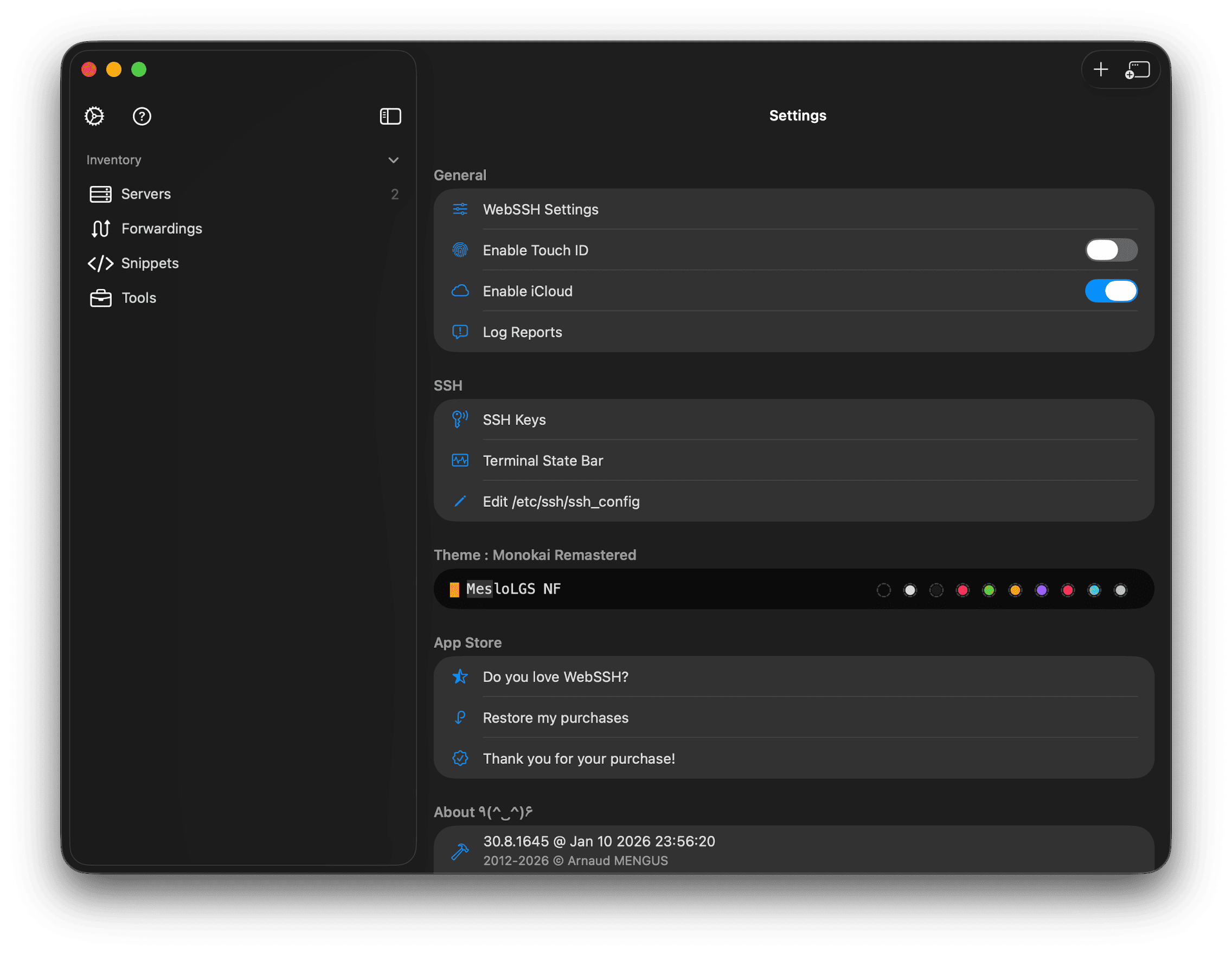 WebSSH’s iCloud sync settings – your credentials never leave Apple’s ecosystem
Who Should (and Shouldn’t) Switch to WebSSH
Switch to WebSSH if you:
- Work primarily within Apple ecosystem (iPhone, iPad, Mac)
- Want to eliminate subscription fatigue and recurring costs
- Value privacy and prefer iCloud over third-party clouds
- Need SSH, SFTP, and port forwarding without enterprise features
- Are an individual developer or small team
- Want a clean, native Apple interface
Stick with Termius if you:
- Need cross-platform support (Windows, Linux, Android)
- Work in large teams requiring collaboration features
- Rely heavily on advanced snippet management
- Need team credential sharing and access controls
- Require centralized admin controls for security compliance
- Have enterprise budget and IT procurement processes
My recommendation: Try WebSSH’s free version first. Test it with your actual workflow for a week. I bet you’ll discover, like I did, that you’re paying for Termius features you don’t actually need.
Migration Guide: Moving from Termius to WebSSH
Making the switch is surprisingly straightforward. Here’s how I did it:
Step 1: Export from Termius
Unfortunately, Termius doesn’t have a native export feature, so you’ll need to manually recreate connections or use this workaround:
# On Mac, if you have Termius desktop version
# SSH configs might be in:
~/Library/Application Support/Termius/

# Manual method: Screenshot your Termius connections
# And recreate them in WebSSH (tedious but one-time)
Step 2: Set Up WebSSH
- Download WebSSH from App Store on iPhone and Mac
- Purchase Pro version for full features (IDR 39,000)
- Enable iCloud sync in WebSSH settings
- Grant necessary permissions
Step 3: Configure Connections
Recreate your server connections in WebSSH:
- Add server hostname/IP
- Configure SSH keys or password authentication
- Set up port forwarding rules if needed
- Organize into folders (by client, project, environment, etc.)
Step 4: Test Sync
- Add a test connection on iPhone
- Open WebSSH on Mac – it should appear within seconds
- Verify SSH key sync works correctly
- Test SFTP and port forwarding functionality
Step 5: Cancel Termius
Once you’ve confirmed WebSSH meets your needs:
- Cancel Termius subscription (avoid next billing cycle)
- Keep Termius installed for a few days as backup
- After confidence period, uninstall Termius
Pro tip: Don’t rush. Run both in parallel for a week to ensure WebSSH handles all your edge cases before fully committing.
Other Tools You’ll Love
If you enjoyed discovering a better Termius alternative, you might find these workflow optimizations equally valuable:
- Why I Switched from Navicat Premium to Free Lite Version - Another $800/year subscription I eliminated without losing functionality
- How to Save Changes in Git Without Committing to Main in VS Code - Master efficient version control workflows
The Bottom Line: Why WebSSH Won Me Over
After 3+ years as a paying Termius customer, switching to WebSSH was one of the best decisions I made in 2026. Here’s what changed:
- $717.50 saved over 6 years (and counting)
- Better privacy with iCloud-based sync in my control
- Same excellent experience for 95% of my SSH workflows
- Eliminated subscription fatigue with one-time purchase model
- Apple-native integration that feels right at home
The transition was smooth, the interface is clean and native, and my productivity didn’t decrease – only my recurring costs did.
My honest advice: If you’re on the Apple ecosystem fence about Termius pricing, download WebSSH today and try the free version alongside your existing setup. You might be shocked at how little you miss Termius’s premium features when you realize the free and Pro versions of WebSSH cover everything you actually use daily.
Ready to try it? Download WebSSH from the iOS App Store or Mac App Store. The free version is surprisingly capable – upgrade to Pro (IDR 39K / ~$2.50) only if you need advanced features.
Final Thoughts: Value Over Brand
This isn’t about choosing the “cheap option” over a “premium brand.” It’s about recognizing when you’re paying for features you don’t use, cloud services you don’t need, and recurring costs that don’t align with your actual usage patterns.
WebSSH delivers exceptional value as a one-time purchase, especially for SSH workflows in the Apple ecosystem. After years of justifying Termius subscriptions, discovering that a $2.50 app met 95% of my needs was both eye-opening and wallet-friendly.
Your needs may vary, but if you’re like most individual developers managing a handful of servers across Apple devices, WebSSH represents the perfect balance of functionality, privacy, and cost-effectiveness.
The era of subscription-everything is here, but that doesn’t mean every tool needs to be a recurring expense. Sometimes, the best solution is the one that respects both your workflow and your budget.