
Navicat Premium Lite vs Premium 18: Honest Review (2026)
Navicat Premium Lite vs Premium 18, tested side by side: what Lite still covers for free, what Standard ($749.99/yr) and Enterprise add, and one crash bug that Navicat fixed in a release candidate.
$0, $749.99, or $999.99 a year. That is the real choice in Navicat 18: Premium Lite is free, Premium Standard costs $749.99 per year, and Premium Enterprise costs $999.99 per year on the Navicat store, checked on October 31, 2026.
My verdict after testing both side by side: Navicat Premium Lite is still enough if your day is writing queries, editing rows, and browsing Redis. Pay for Premium only if you will use the AI tools, Data Masking, backups and automation, the Visual Query Builder, or BI dashboards every week. Everything in that list is locked in Lite.
Disclosure: Navicat gave me a free one-year Navicat Premium Enterprise subscription for this review. They did not see or approve the article before it was published. Before that, I paid for Navicat Premium 16 myself for four years.
Navicat Premium Lite vs Premium 18 at a Glance
I tested Navicat Premium Lite 18.0.3 and Navicat Premium 18.0.5 (Enterprise) on macOS 27 with a MacBook Pro M1. The test databases ran in Docker: MySQL 8.0, PostgreSQL 16, and Redis 7, filled with dummy data (200 customers, 8 products, 1,000 orders). No client data touched any of the AI features.
| Feature | Premium Lite 18 | Premium 18 (Standard and Enterprise) |
|---|---|---|
| Price | Free | From $74.99 per month or $749.99 per year |
| Commercial use | Yes, up to 5 users per organization | Yes |
| MySQL, PostgreSQL, SQL Server, Oracle, MongoDB | Yes | Yes |
| Redis key browser | Yes | Yes |
| Redis Pub/Sub | Locked | Yes |
| Query editor with code completion | Yes | Yes |
| Visual Query Builder | Locked | Yes |
| AI: Fill with AI, Ask AI, AI Chat | Locked | Yes, bring your own AI provider |
| Data Masking and Data Generation | Locked | Yes |
| Backup and Automation | Locked | Yes |
| Data and structure synchronization | Locked | Yes |
| Import from Excel, Access, Parquet | Locked | Yes. Parquet crashed in 18.0.5, fixed in 18.0.6 RC1 |
| BI dashboards and data modeling | Locked | Yes, see the edition note below |
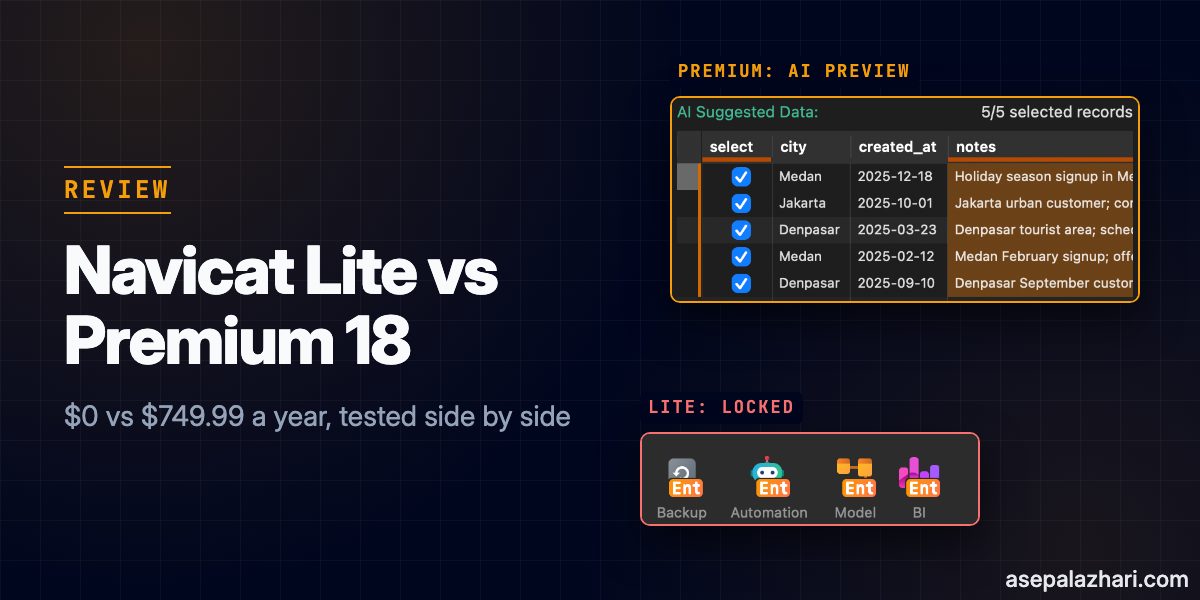
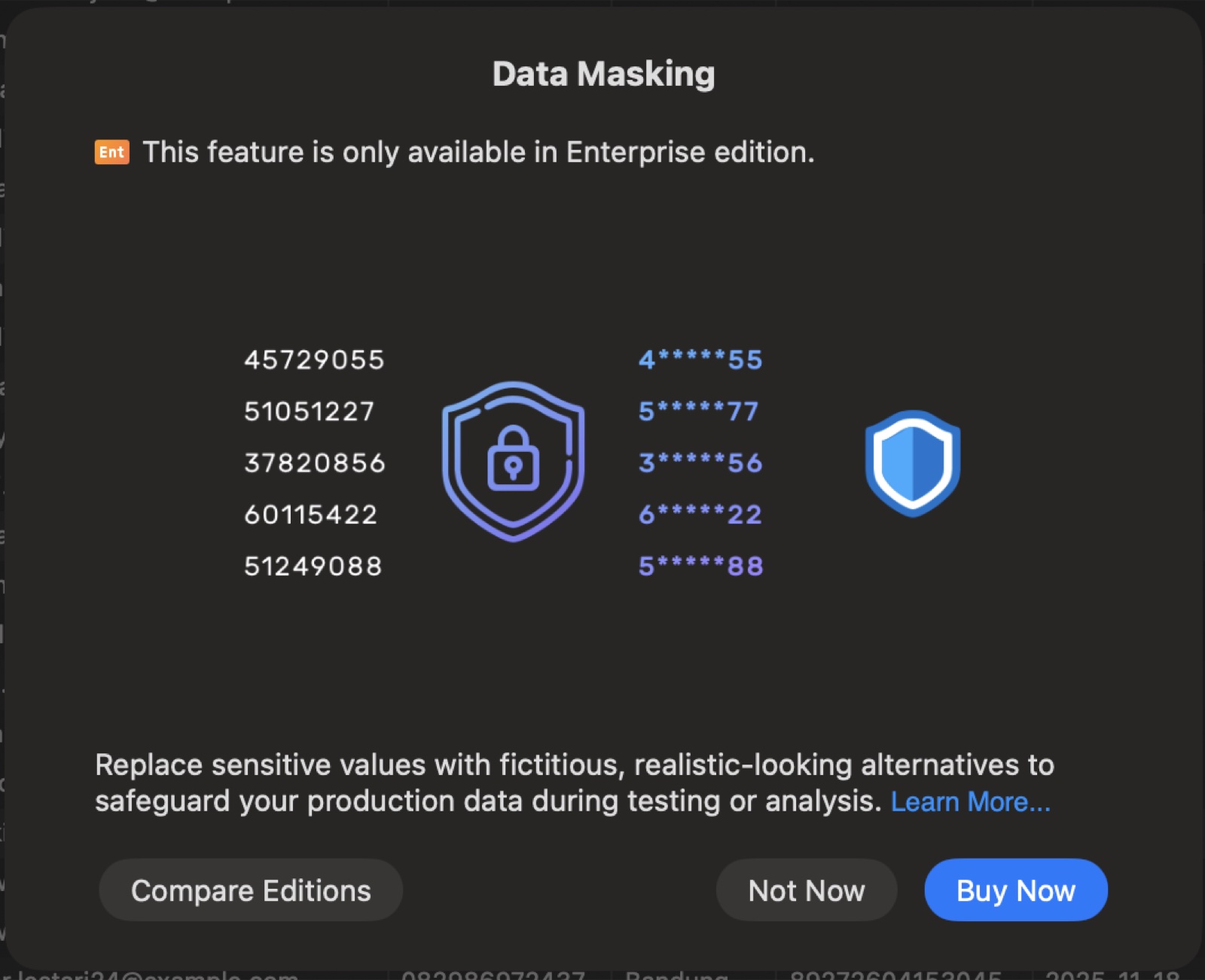
The lock is easy to spot. Every paid feature in Lite carries an orange “Ent” badge, and clicking one opens an upgrade dialog.

Navicat Premium 18 Pricing: Standard vs Enterprise vs Non-Commercial
Navicat Premium 18 comes in three paid editions, and the difference between them is bigger than it looks. These prices are from the official store on October 31, 2026:
| Edition | Monthly | Yearly | Perpetual |
|---|---|---|---|
| Premium Lite | Free | Free | Free |
| Premium Standard | $74.99 | $749.99 | $1,499 |
| Premium Enterprise | $99.99 | $999.99 | $1,999 |
| Premium Non-Commercial | $49.99 | $499.99 | $999 |
Non-Commercial requires you to pass Navicat’s eligibility check first, so treat it as an option for students and hobby projects, not a discount code for client work.
For context, I paid $799.99 per year for Premium 16. Standard now costs less than that, and Enterprise costs about $200 more.
One thing I could not settle: which features need Enterprise instead of Standard. The lock dialogs in Lite say “only available in Enterprise edition” for everything. Navicat’s own feature matrix lists AI, Data Masking, Backup, Automation, and the Query Builder under both Standard and Enterprise, but it marks BI and data modeling as Enterprise only in one place and Standard in another. If BI or modeling is the reason you are buying, ask Navicat before you choose Standard.
Is Navicat Premium Lite Still Enough in Version 18?
Yes, for the daily loop of a backend developer. Lite covers it without any nagging. I connected MySQL, PostgreSQL, and Redis, ran queries with table and column completion, and edited rows in the grid. None of that hit a lock or a trial timer.
Navicat’s help center says Lite can be used for commercial and non-commercial work, with up to 5 free users per organization. For a freelancer or a small team, that is the whole license question answered.
Redis Is Still the Best Free Part
Redis is the reason I moved to Lite in the first place, and it still holds up in version 18. Keys are grouped by prefix into a tree, JSON values are readable in the value column, and the size of each key is shown next to it.
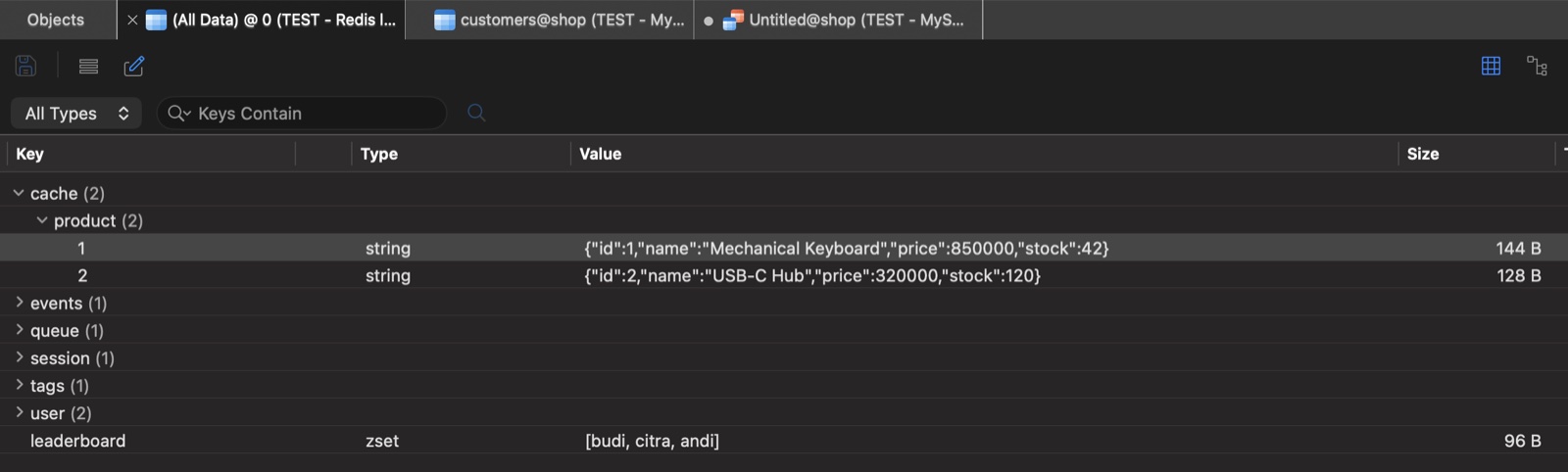
The only Redis feature I found locked was Pub/Sub. If you debug message channels from a GUI, that one is Premium.
Also Read: MCP MySQL Integration: Build AI-Powered Database Apps
Where Lite Stops
Lite stops at anything that writes data for you, moves data on a schedule, or builds something visual. In the data grid alone, Table Profile, Ask AI, Data Profiling, Data Generation, Data Masking, and charts are all locked.
What Premium 18 Adds, Tested
This is the part I wanted to verify instead of copying from the release notes. Each feature below was run against the Docker test databases.
AI Features: Useful, With Guardrails
The AI tools in Premium 18 do not ship with a built-in model. AI is switched off by default, and you add your own assistant under Settings, AI, with a provider, an API host, a key, and a model. I used an OpenAI compatible endpoint with the glm-5.3-flash model.
Fill with AI writes generated values into selected rows. I asked it to write a short customer note from the city and signup date for rows 1 to 5. Two things impressed me. First, it shows the suggested values next to the source data before anything is written, with a checkbox per row. Second, after you click Fill, the grid still holds the changes as “5 pending records” until you click Apply.
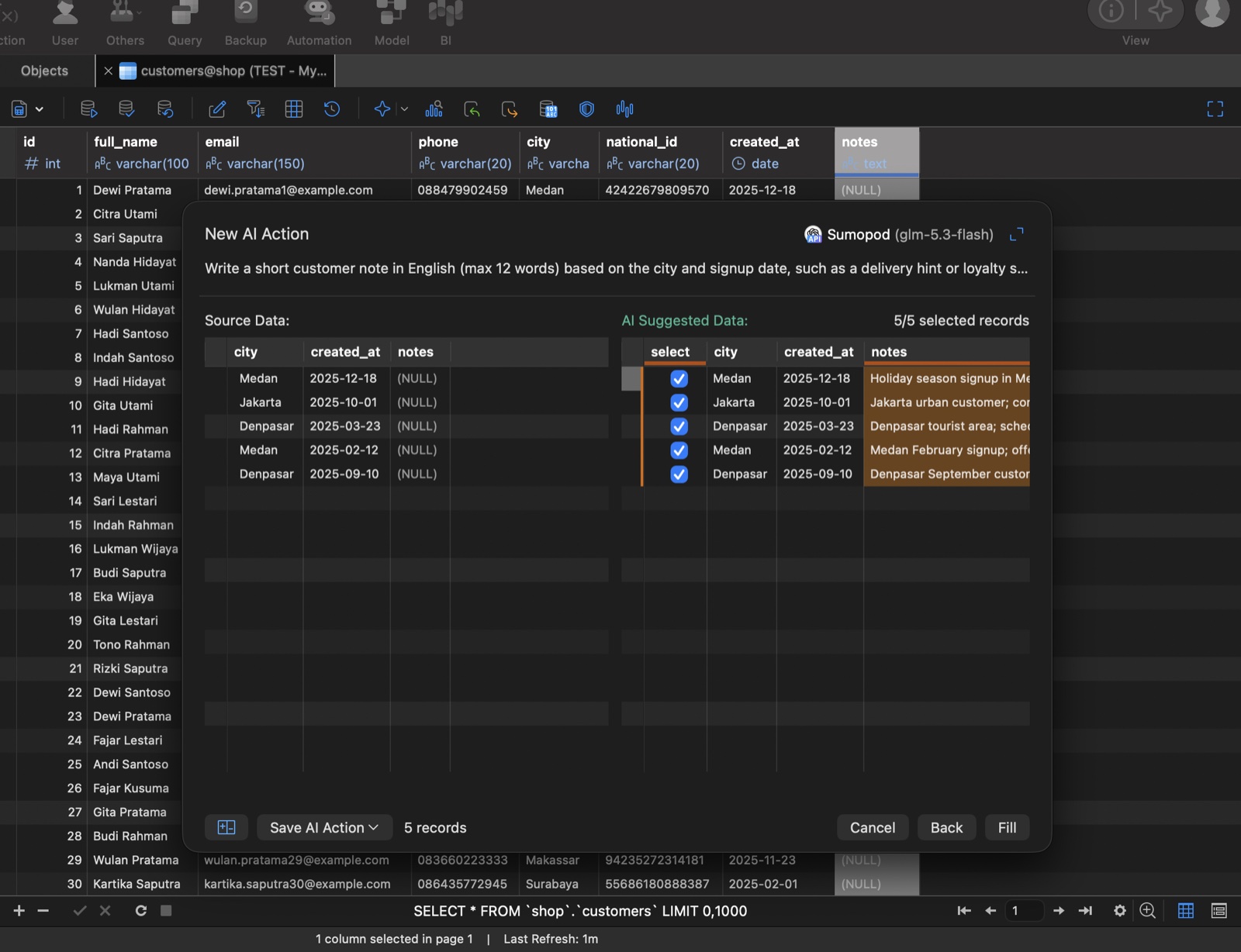
One result, checked in MySQL afterwards: “Jakarta urban customer; consider express delivery option at checkout.” It is fine for test data and enrichment. I would not point it at production tables, because the selected column values are sent to whatever AI provider you configured.
Provider compatibility is worth testing early. My first OpenAI compatible endpoint, a self-hosted router, failed twice with “Invalid response”. A second provider running the same model worked on the first try.
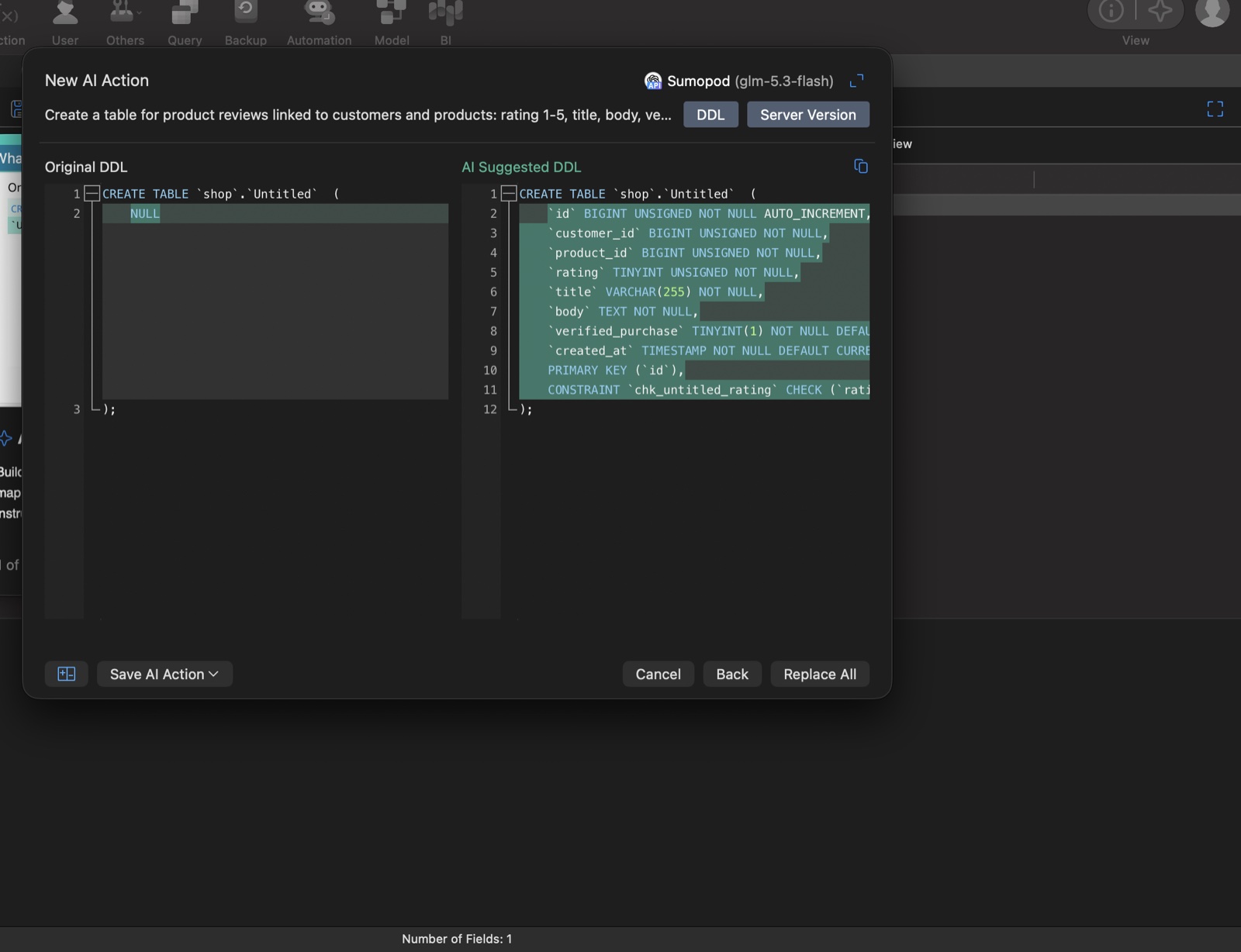
Ask AI does the same for schema. I typed one sentence asking for a product reviews table, and it returned a full CREATE TABLE with foreign key columns, a rating CHECK constraint, and a verified purchase flag. It shows the original and suggested DDL side by side, so you can review before you replace anything.
Data Masking
Data Masking replaces sensitive values, such as names, emails, and ID numbers, with fictitious ones so a copy of the data is safe to share. It is new in Navicat 18 and it is the feature I would actually pay for on client projects. It runs as a wizard: pick the tables, pick the columns, choose a technique per column, and preview the output before it runs. The five techniques listed are Substitution, Variance, Shuffling, Hashing, and Nulling.
On my dummy table, Substitution turned Dewi Pratama into D*** P******, and Hashing produced an MD5 value with the algorithm selectable. Be careful with the final step: Start writes the masked values to the target table, so run it on a copy.
Backup, Automation, and the Visual Query Builder
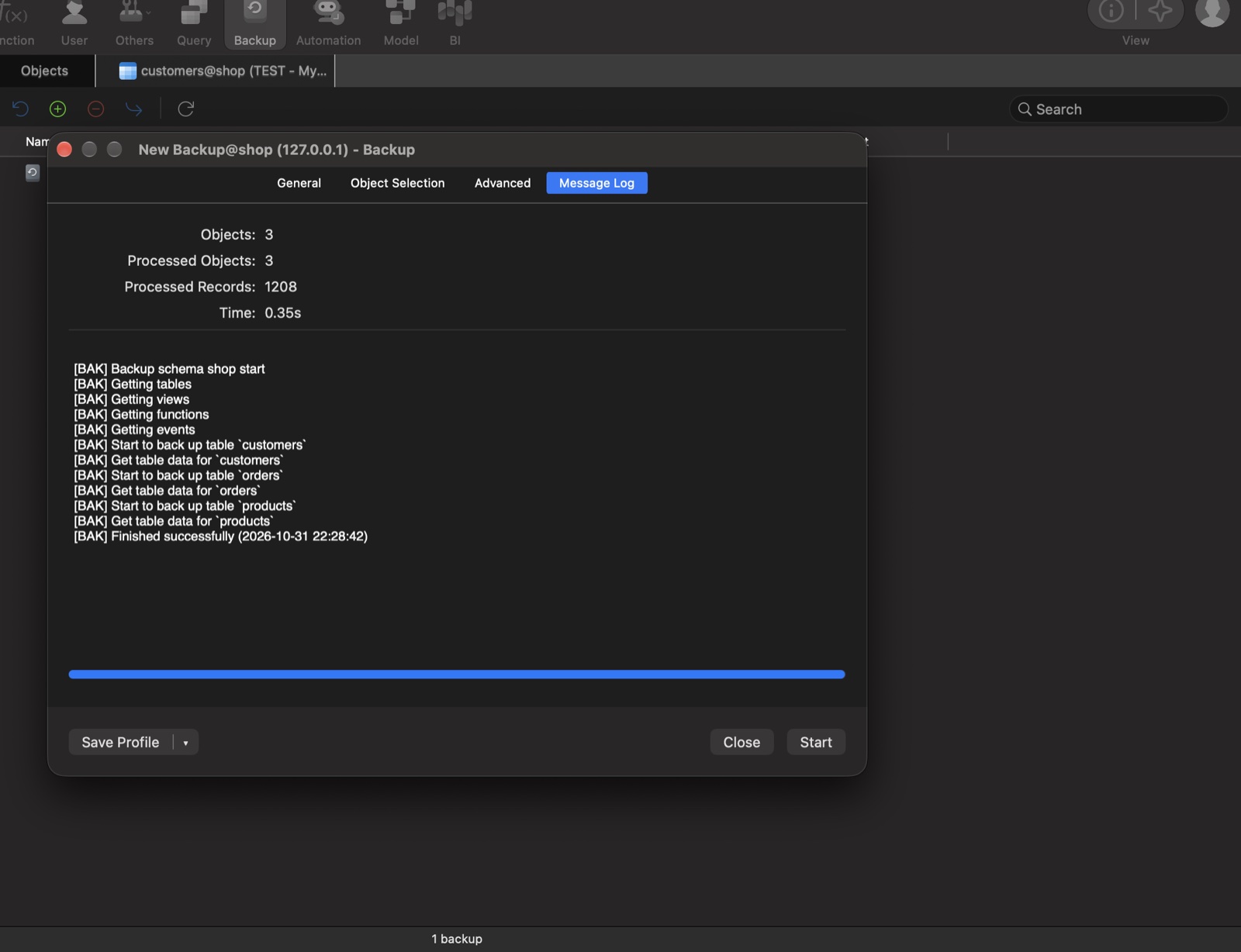
These are the older Premium features, and they still work as expected. A full backup of the test schema finished in 0.35 seconds for 3 tables and 1,208 records.
Automation can schedule almost any job type, including Backup, Data Synchronization, Data Masking, Import, Export, Query, and BI. Version 18 adds a History tab that logs every batch run.
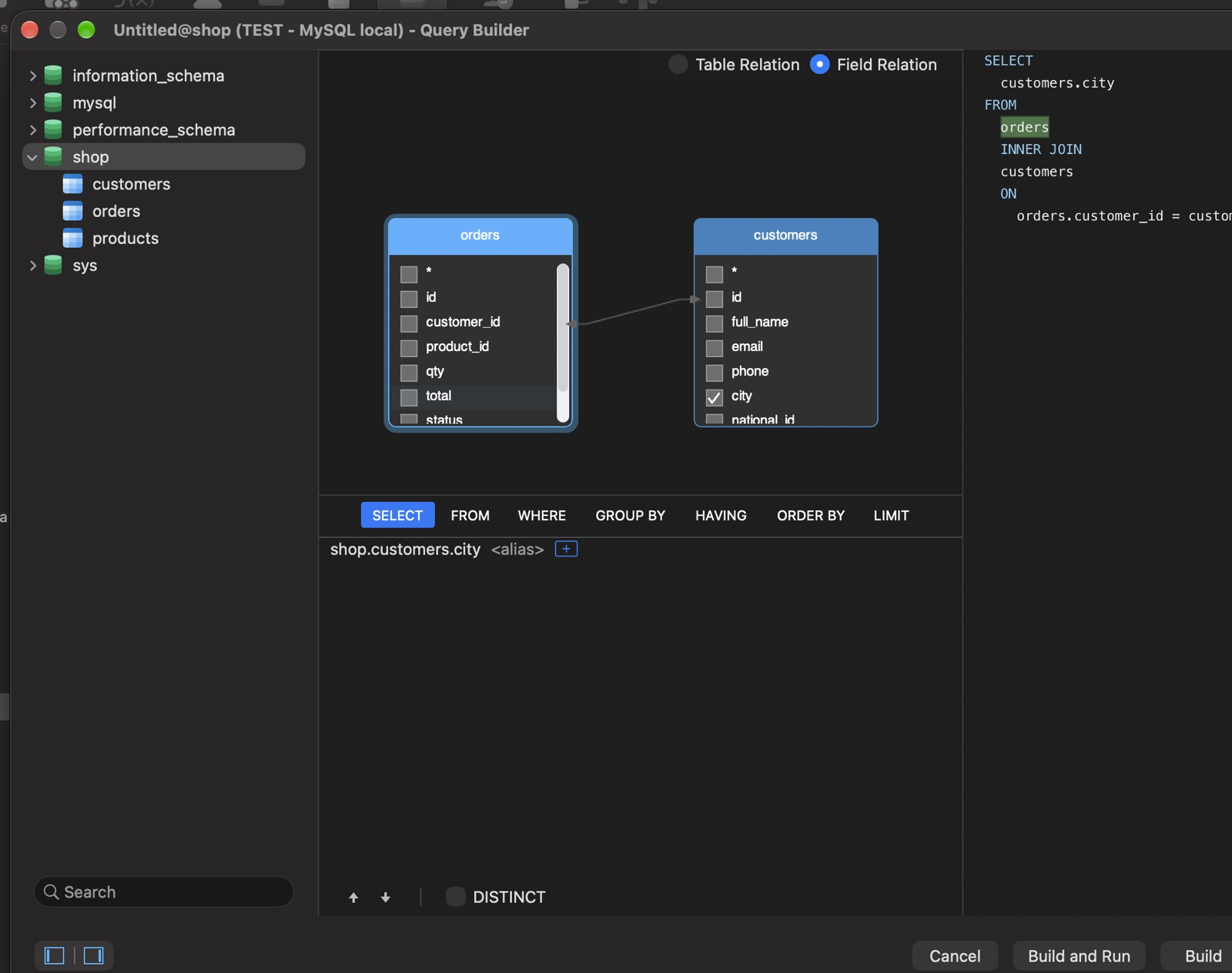
The Visual Query Builder let me drag the orders and customers tables onto a canvas, drag customer_id onto id to create the join, and it generated the INNER JOIN for me. Build and Run returned 1,000 rows.
BI Dashboards and Hybrid Models
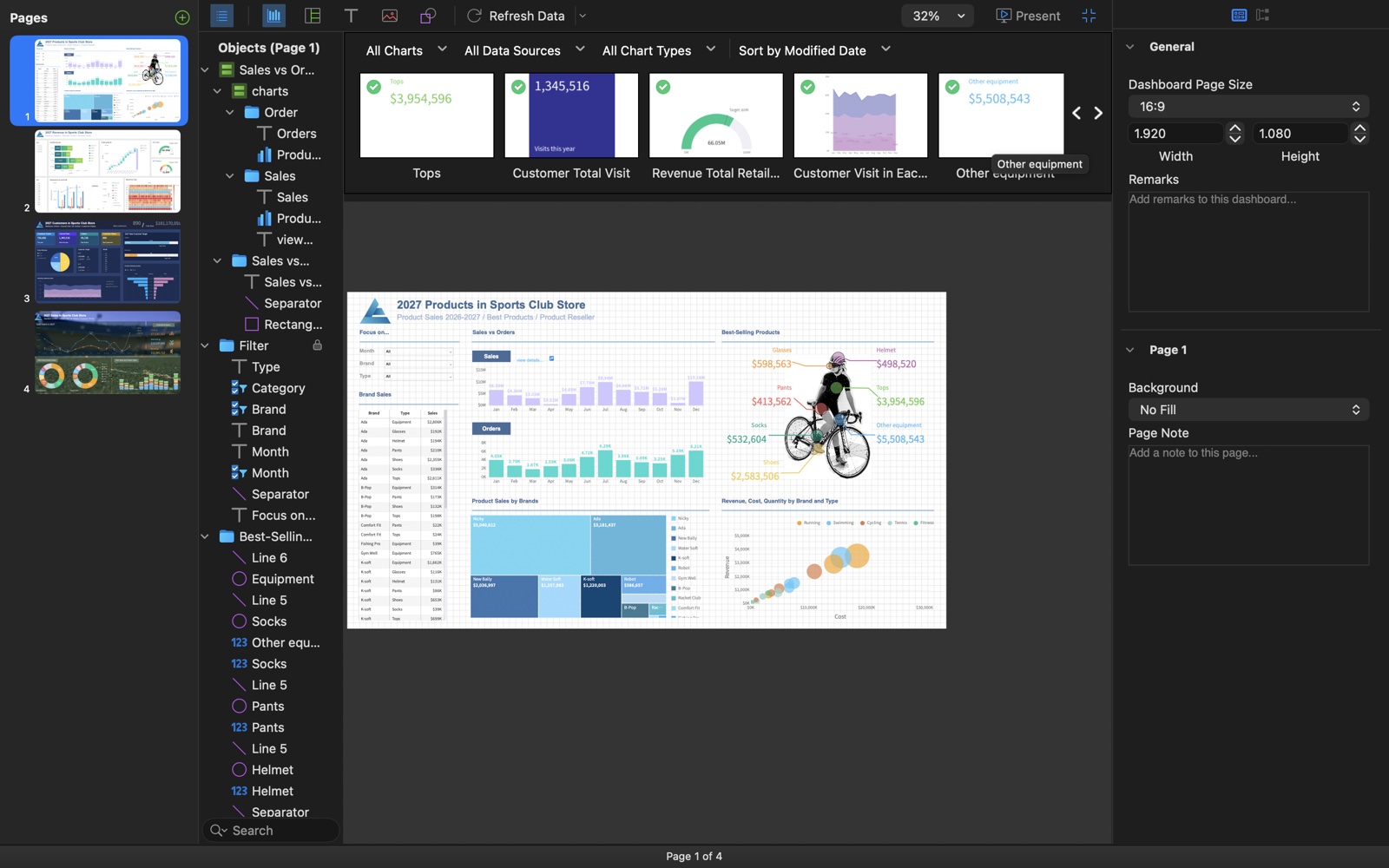
BI is the biggest jump from Lite, but it is also the feature most developers will touch least. Version 18 adds dashboard parameters, auto tile layout, page navigation, and auto refresh. I confirmed the Refresh Data menu offers 1, 5, 15, and 30 minutes, 1 hour, or a custom interval. The sample workspace ships with 44 charts across a 4 page dashboard, which is a quick way to judge whether you need it at all.
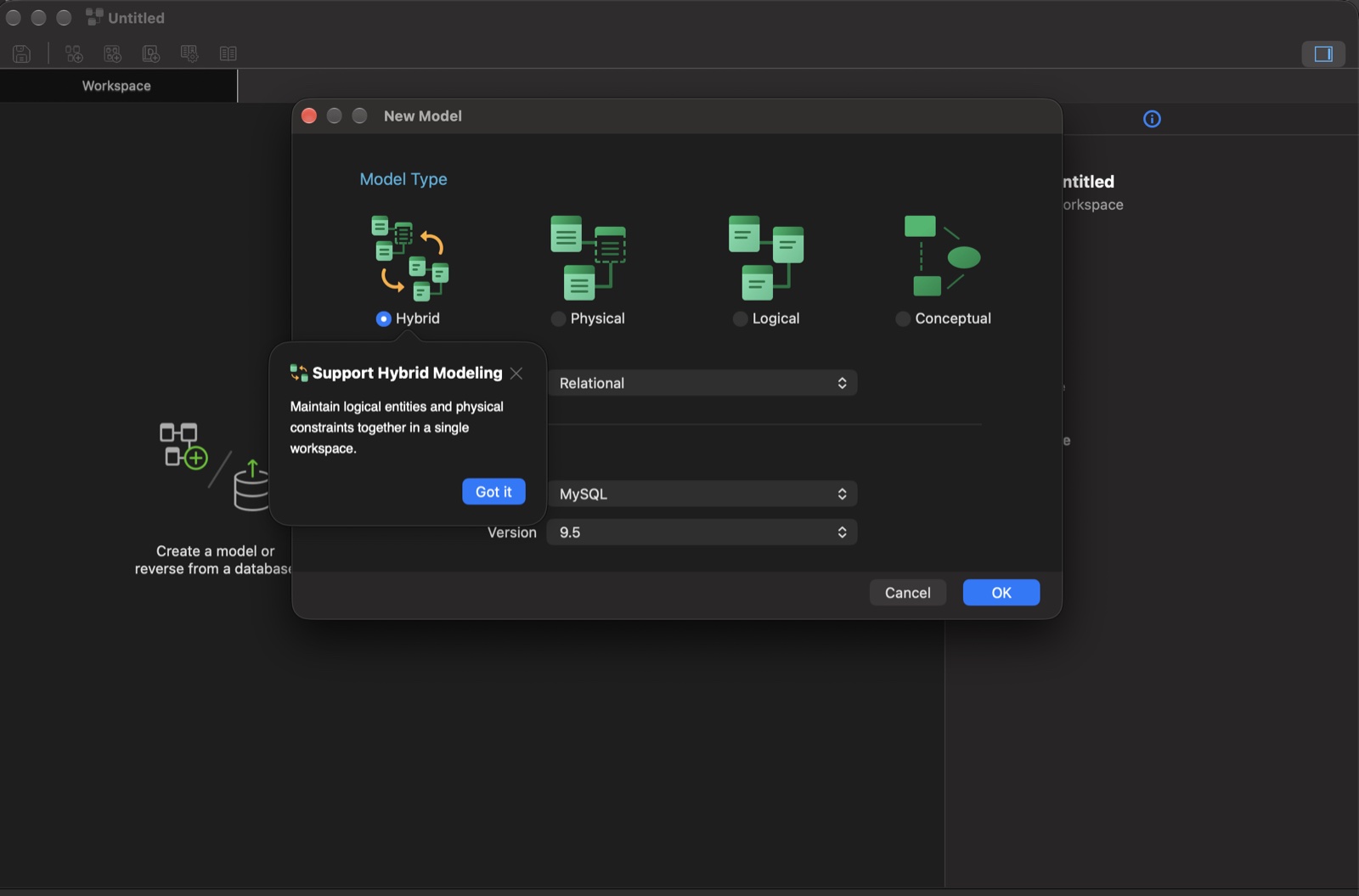
The modeler now defaults to a Hybrid model, which keeps logical entities and physical tables in one workspace, with a switch between Logical and Physical views. It also adds naming standards, a glossary, and import of a SQL script into a model.
The Bug I Hit: Parquet Import Crashed Premium 18.0.5
Importing a Parquet file crashed Navicat Premium 18.0.5 on macOS every time I tried, 3 out of 3. The Import Wizard lists Parquet as a supported source, but the app quit as soon as I picked the file, before any preview appeared.
I tested two files with the same 500 rows: a default pyarrow file (Parquet 2.6, Snappy compression) and a plain Parquet 1.0 file with no compression. Both crashed. The same data saved as CSV imported normally in the same wizard. macOS logged the crash as EXC_BREAKPOINT inside the table view that draws the import preview.
I reported it to Navicat with the sample files. Navicat replied with a bug-fix build, Navicat Premium 18.0.6 RC1. It is a release candidate, not the stable release yet.
Update, 5 November 2026: I retested on 18.0.6 RC1 with the same two files, plus a third file with timestamps, dates, booleans, and NULL values. The Import Wizard now loads the preview for all three files without crashing, and NULL values show correctly. I also ran a full import of the 500-row Snappy file into a new table. All 500 rows were added with no errors.
Which Navicat Edition Should You Buy?
Stay on Premium Lite if you:
- Mostly write SQL, edit rows, and inspect data
- Use Redis mainly to browse keys and values
- Work alone or in a team of 5 or fewer
- Already have another tool for backups and migrations
Pick Premium Standard ($749.99 per year) if you:
- Mask production data before sharing it with testers or vendors
- Want scheduled backups and sync jobs inside the same tool
- Will use Fill with AI or Ask AI with your own AI provider
- Build complex joins visually, or teach people who do
Pick Premium Enterprise ($999.99 per year) only if you:
- Build BI dashboards for stakeholders inside Navicat
- Design schemas with the modeler and hybrid models, after confirming the edition with Navicat
My own setup after this test: Lite stays my daily driver for queries and Redis, including the MySQL clusters behind HAProxy I wrote about in MySQL Gone Away: HAProxy, Galera, and Ghost Processes. Data Masking is the one feature that would make me renew a paid license, because doing it by hand with UPDATE scripts on a copy of production is slow and easy to get wrong.
Also Read: Supabase vs PlanetScale: Best Edge Database in 2026
Frequently Asked Questions
Is Navicat free?
Navicat Premium Lite is free, including for commercial use with up to 5 users per organization. Navicat Premium Standard, Enterprise, and Non-Commercial are paid, with monthly, yearly, or perpetual licenses.
Is Navicat Premium worth it in 2026?
It is worth it if you will use Data Masking, the AI tools, automation, or the Visual Query Builder every week. If your work is writing queries and checking data, Lite gives you that for $0.
Does Navicat Premium Lite support Redis?
Yes. Lite 18 browses Redis keys in a tree, shows JSON values, and runs commands. Redis Pub/Sub is the one Redis feature locked to the paid editions.
Do Navicat’s AI features include a model?
No. You add your own assistant with a provider, API key, and model in the AI settings, and the AI features stay off until you do. Your selected data is sent to that provider when you run them.
Final Take
Navicat 18 made Premium more interesting than it was in version 16, mostly because of Data Masking and an AI workflow that previews changes before writing them. It did not make Lite worse. The free edition still handles the queries, row edits, and Redis browsing that fill most of my week.
Start with Navicat Premium Lite. Run the Premium trial against a copy of your real data, and pay only if one locked feature saves you time every week. If you need Parquet imports, test your own files first, on the build you plan to buy.