

Stop Copying .env Manually: Sync Dev Secrets via GitLab
Tired of manually copying .env files across devices? I built a free Python script that syncs dev secrets via GitLab CI/CD variables in one command.
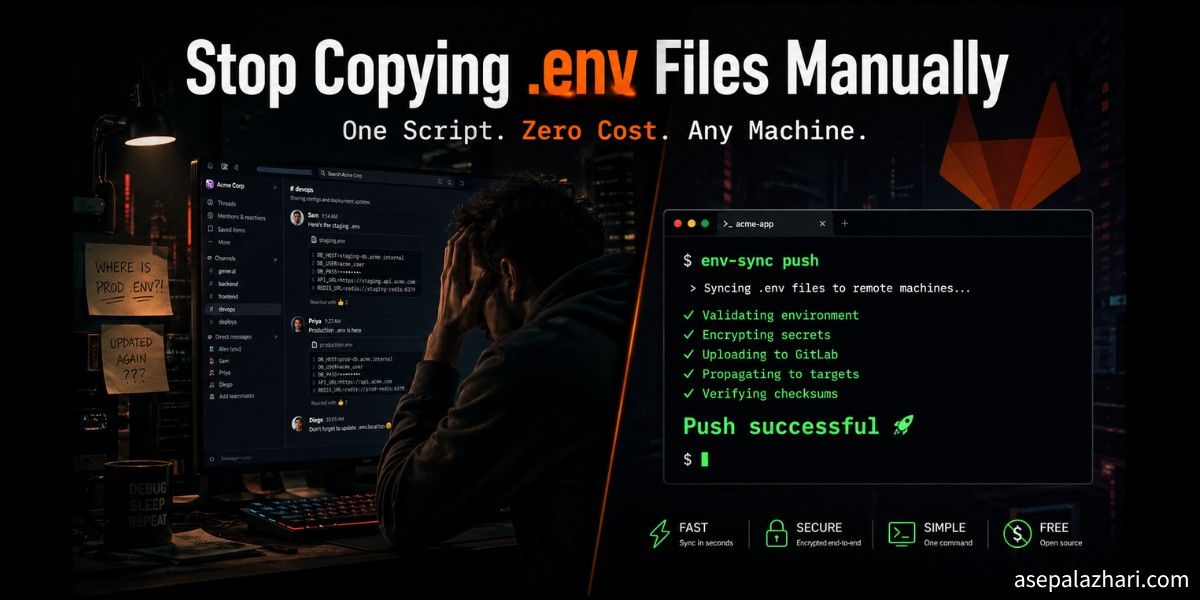
It was close to midnight. I had just set up a new development machine, cloned a Next.js project, and installed all the packages. Everything was ready. Then I hit the same wall I always hit.
The .env file was missing.
I opened Slack and searched for the old message where I had sent the variables to myself six months ago. I checked my other laptop. I dug through notes apps and cloud documents. Twenty minutes later I finally had everything assembled and the app ran. But that wasted time gnawed at me.
This was not a one-time problem. Every new device, every fresh project clone, I was doing the same copy-paste ritual. FastAPI, Laravel, Next.js. The stack did not matter. The .env file was always the bottleneck, and I was always the one carrying it manually.
Why the Obvious Solutions Did Not Work for Me
I did the research. There are tools built exactly for this problem.
Dotenv Vault offers encrypted .env sync with a slick CLI. But the useful features sit behind a paid plan, and it adds another external service I have to trust and depend on.
Infisical is a strong open-source secret manager. I actually respect what they built. But spinning up a self-hosted Infisical instance just for personal dev secrets felt like bringing a firetruck to a candle fire. The cloud free tier has limits, and the self-hosted setup is non-trivial.
Git Crypt encrypts files directly in your repository using GPG keys. Clean concept, but it requires GPG setup on every machine and permanently bakes secrets into repository history in a way that makes me uncomfortable for shared repos.
Chezmoi manages dotfiles across machines and does it well. But it is one more tool to install, configure, and learn. And it does not understand per-project environment files with different values per repo.
Every option had the same pattern: setup cost, in money, time, or complexity. I kept hitting that wall.
The Insight That Changed Everything
Then I looked at what I already had.
Almost all my projects live in self-hosted GitLab instances. Different GitLab hosts for different clients and teams, but GitLab regardless. And every single GitLab project has a built-in CI/CD variables store that can hold any string, including an entire .env file stored as one variable.
I was already paying for those servers. The API was already there. I already authenticated to those instances through Git. The infrastructure I needed existed. I just had not used it this way before.
Also Read: GitLab CI/CD: Dynamic Variables Across Environments
Building env-sync
I wrote env-sync.py, a small Python script with two commands. push uploads your local env file to GitLab. pull downloads it back to your working directory. No configuration file. No extra service. No subscription.
Here is the full script:
#!/usr/bin/env -S uv run --with requests
import os
import sys
import requests
import subprocess

VARIABLE_KEY = "DEV_ENV_FILE"

def get_git_info():
    remote_url = subprocess.check_output(
        ["git", "config", "--get", "remote.origin.url"]
    ).decode().strip()

    if remote_url.startswith("http"):
        host = remote_url.split("/")[2]
        path = "/".join(remote_url.split("/")[3:]).replace(".git", "")
    else:
        host = remote_url.split("@")[1].split(":")[0]
        path = remote_url.split(":")[1].replace(".git", "")

    return host, path.replace("/", "%2F")

def get_gitlab_token(host):
    input_str = f"protocol=https\nhost={host}\n"
    proc = subprocess.Popen(
        ["git", "credential", "fill"],
        stdin=subprocess.PIPE, stdout=subprocess.PIPE, text=True
    )
    stdout, _ = proc.communicate(input=input_str)
    for line in stdout.splitlines():
        if line.startswith("password="):
            return line.split("=", 1)[1]
    return None

def push_env(host, project_id, token):
    env_files = [".env.local", ".env.dev", ".env.development", ".env"]
    target_file = next((f for f in env_files if os.path.exists(f)), None)

    if not target_file:
        print("No env file found.")
        return

    with open(target_file, "r") as f:
        content = f.read()

    url = f"https://{host}/api/v4/projects/{project_id}/variables/{VARIABLE_KEY}"
    headers = {"PRIVATE-TOKEN": token}
    data = {"value": content, "variable_type": "file"}

    res = requests.put(url, data=data, headers=headers)
    if res.status_code == 404:
        data["key"] = VARIABLE_KEY
        res = requests.post(
            f"https://{host}/api/v4/projects/{project_id}/variables",
            data=data, headers=headers
        )

    if res.status_code in [200, 201]:
        print(f"Push successful: {target_file} saved as {VARIABLE_KEY}")
    else:
        print(f"Push failed: {res.status_code} - {res.text}")

def pull_env(host, project_id, token):
    url = f"https://{host}/api/v4/projects/{project_id}/variables/{VARIABLE_KEY}"
    headers = {"PRIVATE-TOKEN": token}

    res = requests.get(url, headers=headers)
    if res.status_code == 200:
        with open(".env", "w") as f:
            f.write(res.json().get("value"))
        print("Pull successful. Saved as .env")
    else:
        print(f"Pull failed. Variable '{VARIABLE_KEY}' not found.")

if __name__ == "__main__":
    if len(sys.argv) < 2:
        print("Usage: env-sync [push|pull]")
        sys.exit(1)

    host, pid = get_git_info()
    token = get_gitlab_token(host)

    if not token:
        print(f"Token for {host} not found. Run 'git pull' once in this repo first.")
        sys.exit(1)

    cmd = sys.argv[1].lower()
    if cmd == "push":
        push_env(host, pid, token)
    elif cmd == "pull":
        pull_env(host, pid, token)
    else:
        print("Unknown command. Use 'push' or 'pull'.")
How the Three Core Mechanisms Work
There are three design decisions in this script that make it feel invisible once it is set up.
Auto-detecting the GitLab host and project
When you run the script inside a project directory, it reads the git remote URL with git config --get remote.origin.url. It handles both SSH format ([email protected]:org/project.git) and HTTPS format (https://gitlab.example.com/org/project.git). From that single string it extracts the host and project path automatically.
This is what makes the same script work across all your GitLab instances without any configuration file or environment variable of its own. The project itself tells the script where to go.
Reusing your existing Git credentials
Instead of storing a GitLab Personal Access Token somewhere, the script calls git credential fill. This is the same credential helper that Git itself uses when you authenticate for a git pull. If you have already authenticated to that GitLab host through Git, the script finds the token automatically from your OS credential store.
On macOS that is the Keychain. On Linux it is whichever credential helper you have configured, typically git-credential-store or a desktop keyring integration. You never paste a token into a config file.
Also Read: Stop Git Asking for Credentials in VS Code
Storing the entire env as one CI/CD variable
The script saves your env file content as a single variable called DEV_ENV_FILE with the type set to file. On first push, it tries a PUT request. If GitLab returns 404 because the variable does not exist yet, it automatically falls back to a POST to create it. You never need to pre-create anything in the GitLab UI.
On pull, it writes the variable value back to a .env file in your current directory.
One-Time Setup
This whole thing is a one-time installation. Once done, you never think about it again.
Install uv
The script uses uv as its runtime manager. The shebang #!/usr/bin/env -S uv run --with requests means uv automatically installs the requests library before running, so you never need to manage a virtual environment or pip install anything.
curl -LsSf https://astral.sh/uv/install.sh | shSave the script and make it executable
Save the script as ~/env-sync.py and mark it executable:
chmod +x ~/env-sync.pyAdd a global alias
For macOS with zsh:
echo 'alias env-sync="~/env-sync.py"' >> ~/.zshrc
source ~/.zshrc
For Linux with bash:
echo 'alias env-sync="~/env-sync.py"' >> ~/.bashrc
source ~/.bashrc
Authenticate to your GitLab host once
Run git pull inside any project on that GitLab instance. When Git prompts for credentials, enter your username and your Personal Access Token. Git saves it. The script will use it from that point forward without asking again.
If you have multiple GitLab instances, repeat this once per host. Each host stores its credentials separately.
Daily Usage
Once everything is in place, the workflow is one command in either direction.
Push your current local env to GitLab from inside the project directory:
env-sync pushPull it back after cloning on a new machine:
env-sync pullNo flags. No project IDs to remember. No tokens to copy. The script figures everything out from where you are standing.
Smart Defaults for Multi-Framework Projects
A few details that make this practical across different stacks.
For Next.js projects that use .env.local, the script checks for that file first. The priority order is .env.local, then .env.dev, then .env.development, and finally .env. It picks whichever one exists. This means Next.js, FastAPI, Laravel, and any other framework work without any configuration change.
When pulling, the script always writes to .env. This is intentional. Most frameworks treat .env as the universal base file, so you get a consistent output regardless of what the source file was named.
What to Keep in Mind
This is a dev environment tool, not a production secret manager. A few honest limitations.
GitLab CI/CD variables are visible to project maintainers and owners. Do not store production credentials here. This is only for local development values, the kind you would otherwise paste into a .env.local file that is already in .gitignore.
Each developer manages their own DEV_ENV_FILE per project. The variable is not automatically shared across team members. That is intentional. Dev env files often contain personal API keys, local service ports, and machine-specific settings that differ per developer.
For secrets that need to be shared across a team or promoted to staging and production, you still want a proper secret manager. This tool solves the personal developer workflow problem, not the team secrets distribution problem.
What I Actually Saved
I used to spend anywhere from five to twenty minutes getting a project fully running after a fresh clone, depending on how stale my memory was about which variables it needed. Now that time is under a minute.
The script replaced Slack message archaeology, notes app searching, and cross-device copy-paste with a single command. No new service to operate. No monthly subscription. No GPG key to distribute to every new machine.
It works identically on my MacBook, my Linux workstation, and any cloud development environment I spin up temporarily. The only prerequisite is that the machine has Git and uv installed, which is true for any machine I develop on anyway.
If you already use self-hosted GitLab, the infrastructure for this already exists inside your projects. The only thing being added is one 120-line Python script and one line in your shell config.
Getting the Script
Also Read: Mastering Automated Docker Tagging in GitLab CI/CD: A Practical Guide
The script lives at ~/env-sync.py. Once you have it placed and the alias added, every Git project on any of your GitLab instances can push and pull its own .env in one command. First-time setup takes less than ten minutes. Every subsequent use takes less than two seconds.
Sometimes the best solution is the one built from the tools you already have.
![GitLab CI/CD Dynamic Variables: Dev, Staging & Production Config Guide [2026]](https://cdn.asepalazhari.com/images/articles/deployment/gitlab-ci-cd-dynamic-variables-across-environments.png)