
Kubernetes Cluster Down After Reboot: A Full Postmortem
My 6-node Kubernetes cluster went dark after a master node rebooted for the first time in 1 year and 275 days. Here is the full incident timeline and the permanent fix.
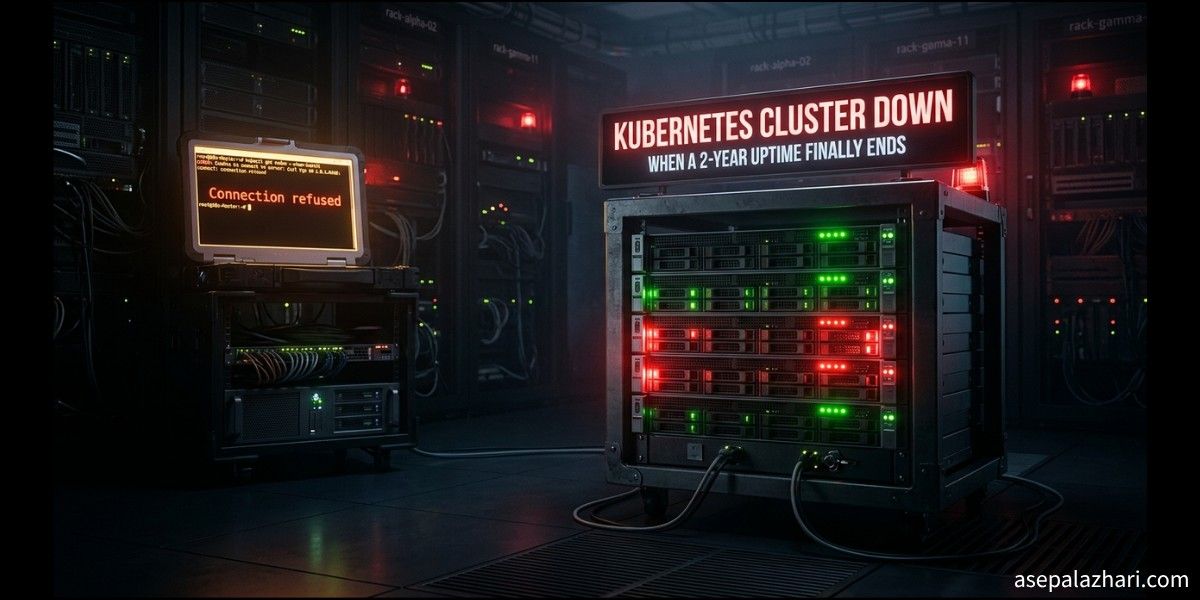
It was supposed to be a normal Sunday. Then the alerts started rolling in.
My monitoring dashboard lit up at 12:35 on April 6, 2026. The log entry read: “Device rebooted after 1 year 275 days 22 hours 40 minutes 4 seconds.” That single line told me everything had just gone sideways. The master node for my production Kubernetes cluster, which had been running without interruption for nearly two years, had just rebooted on its own.
What followed was a multi-hour troubleshooting session to bring six nodes back to Ready status. This is the full story of what happened, what caused it, and what you should do now so your cluster survives the next unexpected reboot.
The Incident Timeline
12:35 - The Reboot Detected
The monitoring system captured it first. Node master-node-01, which serves as the primary Control Plane, rebooted after 1 year and 275 days of continuous uptime. The reboot lasted only 247 seconds, but that was enough to trigger a cascading failure across the entire cluster.
The first sign from the outside was subtle. Running kubectl returned this:
etcdserver: request timed out
500 Internal Server Error
Within minutes, it got worse.
12:37 - Total Cluster Blackout
Port 6443, the API Server endpoint, stopped responding entirely. Every kubectl command returned the same error:
Get "https://master-node-01:6443/api/v1/nodes?limit=500": dial tcp 192.168.1.10:6443: connect: connection refused - error from a previous attempt: unexpected EOFThe brain of the cluster was offline. No API Server means no kubectl, no pod scheduling, no visibility into anything.
12:38 - Root Cause Identified: Swap Memory
Here is something that surprises people who are new to Kubernetes. The kubelet, the agent that runs on every node, hard-refuses to start if swap memory is active. This is by design. Kubernetes needs deterministic memory allocation, and swap breaks that guarantee.
When master-node-01 rebooted, the operating system re-enabled swap automatically. It had been disabled months ago manually with swapoff -a, but that command does not survive a reboot. The /etc/fstab file still had the swap entry. The system brought it back online, and the kubelet refused to start.
No kubelet means no Control Plane. No Control Plane means no cluster.
12:45 - Worker Nodes Begin Failing
While diagnosing the master node, the worker nodes worker-node-01 and worker-node-02 started showing problems of their own. The kubelet logs showed a different but related error:
failed to connect to containerd: context deadline exceeded
dial unix /run/containerd/containerd.sock: connect: no such file or directory
The containerd runtime was not producing a socket file, which meant kubelet had nothing to connect to. The reason was that containerd was still in the middle of recovering state from nearly two years worth of container data. The systemd timeout fired before containerd finished initializing, leaving the socket missing.
Nodes worker-node-03 and worker-node-04 recovered on their own. Nodes worker-node-01 and worker-node-02 stayed in NotReady.
The Node Status Map
| Node | Role | Status | Failure Reason |
|---|---|---|---|
| master-node-01 | Control Plane | Ready | Swap re-enabled after reboot |
| master-node-02 | Control Plane | Ready | Recovered after master-node-01 stabilized |
| worker-node-01 | Worker | NotReady | kubelet crash-loop, missing containerd.sock |
| worker-node-02 | Worker | NotReady | containerd timeout during state recovery |
| worker-node-03 | Worker | Ready | Self-recovered |
| worker-node-04 | Worker | Ready | Self-recovered |
The Fix
Phase 1: Bring the Control Plane Back
The fix for master-node-01 was straightforward once the root cause was clear.
# Step 1: Disable swap immediately
sudo swapoff -a

# Step 2: Restart the kubelet
sudo systemctl restart kubelet

# Step 3: Wait 2 minutes, then verify
kubectl get nodes
Port 6443 opened within 90 seconds of disabling swap. The API Server came back online and master-node-02 recovered automatically since it could now rejoin the cluster.
Phase 2: Recover the Worker Nodes
For worker-node-01 and worker-node-02, the approach was to give containerd more time and then restart the chain.
# Force containerd to start and wait for it
sudo systemctl start containerd
# Wait until the socket appears
sudo ls /run/containerd/containerd.sock

# Once the socket is confirmed, restart kubelet
sudo systemctl restart kubelet
Containerd was slow because it needed to verify the state of hundreds of containers. After letting it finish, the socket appeared and kubelet could register with the API Server. Both nodes returned to Ready status.
Lessons Learned
Lesson 1: Manual swapoff Does Not Survive Reboots
If you ran swapoff -a and called it done, your cluster will break on the next reboot. The only permanent fix is to comment out the swap entry in /etc/fstab.
# Run this on every node in your cluster
sudo sed -i '/swap/s/^\(.*\)$/#\1/g' /etc/fstab

# Verify swap stays at 0 after reboot
free -m
After applying this, the Swap row in free -m should show all zeros even after a full restart.
Lesson 2: kubelet Does Not Wait for containerd
The default systemd configuration does not guarantee that kubelet waits for containerd to be fully ready before starting. On a fresh boot after a long uptime, containerd may take several minutes to recover container state. kubelet starts too early, misses the socket, and enters a crash loop.
Fix this by editing the kubelet service override:
sudo systemctl edit kubeletThen add:
[Unit]
After=containerd.service
Requires=containerd.service
This tells systemd to always start kubelet after containerd, and to treat containerd as a hard dependency. If containerd is not running, kubelet will not attempt to start at all.
Lesson 3: Disk Usage at 79 Percent is a Warning Sign
During the incident, the /var partition on the master nodes was sitting at 79 percent. That partition is where etcd stores its database and where application logs accumulate. Kubernetes begins evicting pods when disk pressure reaches 85 percent. The etcd database freezes with a quota alarm if disk fills completely.
This was not the cause of today’s incident, but it is the next one waiting to happen. Setting up log rotation for your applications is not optional on a long-running cluster. It is maintenance.
Lesson 4: Long Uptime Creates Invisible Risk
A server that has been running for 1 year and 275 days has accumulated a lot of state. Logs fill up. Containers accumulate metadata. The operating system may have pending updates that change behavior on next boot. The longer a node goes without a reboot, the more unpredictable the next one becomes.
Scheduled rolling reboots, done one node at a time during low-traffic windows, are a much safer alternative to an unexpected two-year reboot during a Sunday afternoon.
Also Read: Kubernetes Logging Done Right: Fluent Bit to Elasticsearch
The Hardening Checklist
Here is what you should apply right now to any Kubernetes cluster, not just after an incident.
# 1. Permanently disable swap on all nodes
sudo sed -i '/swap/s/^\(.*\)$/#\1/g' /etc/fstab

# 2. Edit kubelet to depend on containerd
sudo systemctl edit kubelet
# Add: After=containerd.service and Requires=containerd.service

# 3. Check disk usage
df -h /var

# 4. Check current swap status
free -m

# 5. Verify kubelet is running
sudo systemctl status kubelet

# 6. Verify containerd is running
sudo systemctl status containerd
Run these on master-node-01 through worker-node-04, or whatever your nodes are named. Each one is a potential failure point on the next unexpected reboot.
Also Read: Kubernetes Docker Swarm Safe Installation: Zero Downtime Migration
Current Status
All six nodes are Ready. The cluster is balanced and healthy. The incident lasted approximately 2 hours from detection to full recovery. The permanent fixes described above have been applied to all nodes.
The monitoring system that caught the reboot at 12:35 is also the reason recovery was possible at all. If you do not have uptime monitoring on your Kubernetes nodes, set it up today. A 247-second reboot on a server that has been running for nearly two years is not something you want to discover via user complaints.
Kubernetes is resilient by design, but only if you maintain the nodes it runs on.