
Disable Codex Daemon Auto Start: Stop the Background Process
Codex CLI starts a background daemon and an update loop on launch. Turn it off with daemon_auto_start=false, then stop what is running. Tested on 0.166.0.
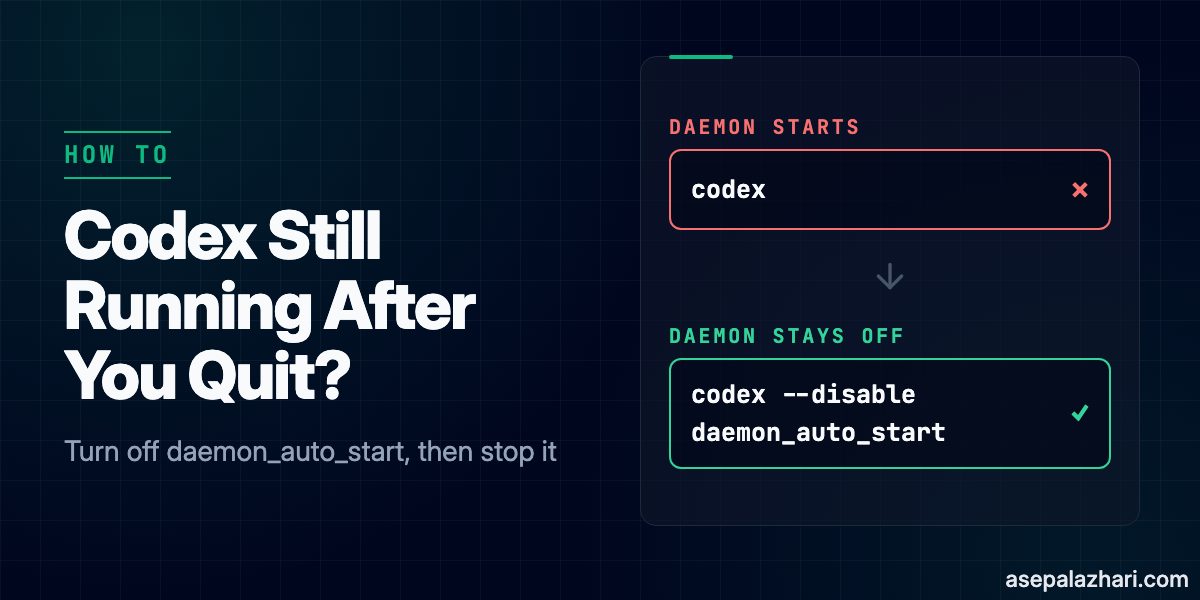
Why does a Codex process keep running after I close the terminal? On Codex CLI 0.166.0, the first codex launch starts a managed app-server and an update loop in the background. Both keep running after the interactive session ends. To stop that, pass --disable daemon_auto_start on launch, and stop the processes that are already running with codex app-server daemon stop. If you are still deciding whether Codex CLI is worth running at all, Codex CLI vs Claude Code: First Impressions and 2026 Update compares the day-to-day experience.
Quick Fix
Launch Codex with the feature turned off:
codex --disable daemon_auto_startThe equivalent override in config form is:
codex -c features.daemon_auto_start=falseThe CLI also has a --no-daemon flag, listed in codex --help. I launched with it and no daemon process started.
To confirm the feature state without starting anything, list the features and filter for it:
codex --disable daemon_auto_start features list | grep daemon_auto_startOn my machine the output was daemon_auto_start stable false. Without the flag, the same command reports true, which is the default.

What Does the Daemon Do?
I launched codex in a pseudo-terminal with default settings. Two processes appeared:
codex app-server --listen unix:// --analytics-default-enabled --managed-daemon
codex app-server daemon pid-update-loop
Both stayed alive after I closed the TUI. The first is the backend that Codex sessions connect to through a Unix socket. The second is the loop that watches for updates. I repeated the launch with --disable daemon_auto_start and with -c features.daemon_auto_start=false. In both runs, neither process started. A Codex install on Linux can hit a separate sandbox error before any of this matters. If it does, see Fix bwrap Error on Ubuntu 24.04 in Docker for Codex CLI.
The daemon’s status is available as JSON:
codex app-server daemon versionWhile it runs, the output includes "status":"running" and the socket path. After a stop, the same command fails because the socket file is gone.
How Do I Stop a Daemon That Is Already Running?
The official stop command is:
codex app-server daemon stopIt reports "status":"stopped". On my machine, the update loop did not stop with it. pid-update-loop stayed in the process list. I stopped it by PID:
pgrep -fl "pid-update-loop|managed-daemon"
kill <PID>
Run pgrep again to confirm nothing is left. If you need the daemon back, start it with:
codex app-server daemon startHow Do I Keep It Off on Every Launch?
The flag applies to one launch. To turn the feature off for every launch, the same setting belongs under [features] in ~/.codex/config.toml:
[features]
daemon_auto_start = false
The CLI can write that line for you with codex features disable daemon_auto_start, which is listed in codex features --help. I did not run that command, so my own config is unchanged and the file-based form is still untested on my machine. After you apply either one, run codex features list and check that daemon_auto_start shows false. Then launch once and confirm with pgrep that no managed process starts.
What the Issue Report Adds
The behavior described here was first reported in openai/codex issue 48195, which asks for the feature to be opt-in. The report was written against version 0.157.0, and it is still open at the time of writing. Its details are the reporter’s, not mine, so treat them as claims to check:
- The daemon copies the full platform package, about 374 MB, into
~/.codex/packages/app-server-daemon/releases/<version>/. On my machine that releases directory exists, and the running backend uses a versioned path inside it. - The update loop checks for new releases a few minutes after start and then hourly. The report says it can restart the backend, which may interrupt active turns. The
daemon updatehelp text on my machine says the same thing: “may interrupt running work”. - The daemon keeps the environment variables of the session that started it, including proxy settings. I did not test this.
Because the report used 0.157.0 and I tested 0.166.0, the default may have changed between the two versions. Check codex features list on your own version before you rely on the default.
Conclusion
Use --disable daemon_auto_start for a single launch, or set daemon_auto_start = false in config.toml for every launch. Stop what is already running with codex app-server daemon stop, then check for pid-update-loop and kill it if it is still there.