
Ollama: Run Local AI Models Like Docker
AI API costs keep rising, even Chinese models got expensive. I tried Ollama on Docker with Gemma 4 E4B as a free local alternative for agentic workflows.
Ollama changed how I think about local AI. Last month I opened my Claude API dashboard and just stared at the number. The bill was not outrageous, but it was trending in the wrong direction. And that was just for personal experiments.
I started looking for alternatives. Not to replace Claude for serious coding work, but to reduce the dependency on paid APIs for tasks that do not need top-tier intelligence. That search led me to Ollama.
AI Pricing Is Getting Painful
When I first started using AI APIs, the Chinese models felt like a cheat code. DeepSeek and Qwen were delivering surprisingly solid results at a fraction of the cost of Claude or ChatGPT 5.4. A lot of developers quietly shifted their side project workloads over there.
Then demand exploded. Both models became popular globally and the providers adjusted their pricing to match. The cheap option is no longer that cheap. You still save compared to Claude Opus 4.7 or ChatGPT 5.4, but the gap has narrowed enough that it hurts.
The pattern is the same everywhere: AI capability improves, adoption grows, pricing goes up. The only real escape is to stop paying per token entirely and run models on your own hardware.
That is where Ollama comes in.
What Is Ollama
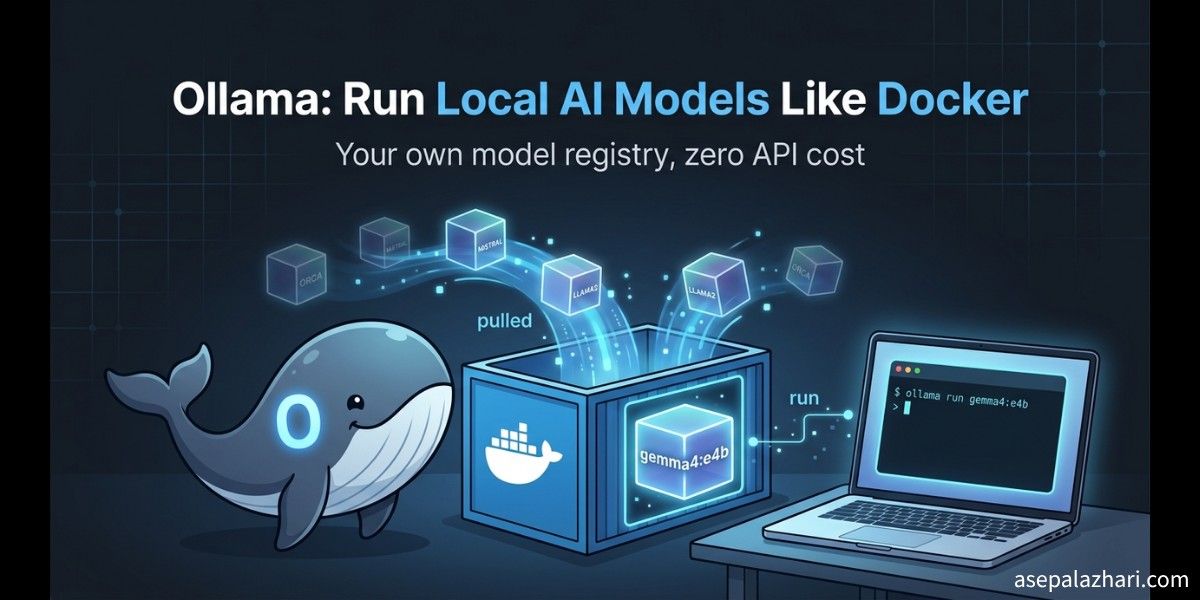
Ollama is a tool for running large language models locally. If you have worked with Docker, the mental model is very familiar. Docker lets you pull and run containerized applications with a single command. Ollama does the same thing for AI models.
You run ollama pull gemma4 and the model downloads. You run ollama run gemma4 and you get an interactive prompt. The models live on your machine, inference happens locally, and there is no API key, no rate limit, and no per-token billing.
The similarity to Docker goes further. Ollama has its own registry concept, model versioning, and a clean CLI that feels natural if you already know how containers work. It even exposes a local REST API so your applications can talk to it the same way they would talk to OpenAI or Anthropic.
For developers who think in infrastructure terms, Ollama immediately makes sense.
I Installed Ollama Inside Docker
Here is where I went a step further. Instead of installing Ollama directly on my laptop, I ran it inside a Docker container. The reason is isolation. I did not want Ollama’s model files and processes mixing with my local environment. I wanted to be able to tear it down cleanly if needed.
The setup is straightforward. You need Docker with GPU access enabled if you want accelerated inference, but CPU-only works fine for smaller models.
# docker-compose.yml
services:
    ollama:
        image: ollama/ollama
        container_name: ollama
        ports:
            - "11434:11434"
        volumes:
            - ollama_data:/root/.ollama
        restart: unless-stopped

volumes:
    ollama_data:
Run it with:
docker compose up -dOnce the container is running, you pull a model by executing a command inside it:
docker exec -it ollama ollama pull gemma4:e4bThe Ollama API is now accessible at http://localhost:11434. Any tool or application that supports OpenAI-compatible APIs can point to this endpoint with a simple base URL change.
First Model: Gemma 4 E4B
I chose Gemma 4 E4B as my first model to try. A few reasons for this choice.
It is the latest generation from Google’s Gemma family. The E4B variant uses an efficient architecture that keeps the model weight small enough to run comfortably on a laptop. On my machine it loaded in a few seconds and inference was fast enough to feel responsive in conversation.
Pulling and running it looked like this:
# Pull inside the container
docker exec -it ollama ollama pull gemma4:e4b

# Test it directly
docker exec -it ollama ollama run gemma4:e4b "What is Ollama?"
Or you can call the REST API from your host machine:
curl http://localhost:11434/api/generate \
  -d '{
    "model": "gemma4:e4b",
    "prompt": "Explain Ollama in one paragraph",
    "stream": false
  }'
The responses are decent. For general questions, summaries, and simple reasoning tasks, Gemma 4 E4B holds up well.
Honest Assessment: Coding Is a Different Story
I want to be direct about this. For serious coding work, Gemma 4 E4B is not in the same league as Claude Opus 4.7 or ChatGPT 5.4. The gap is significant.
With Claude Opus 4.7, I can describe a complex architectural problem and get a response that shows real understanding of trade-offs, edge cases, and real-world constraints. With Gemma 4 E4B locally, the responses are often technically correct but shallower. It struggles with nuanced debugging, large codebase context, and anything that requires connecting multiple pieces of information across a long conversation.
This is not a knock on Ollama or Gemma specifically. It reflects a fundamental reality: the best frontier models are frontier models for a reason, and running a smaller model locally will not match them.
If your work depends on code quality, complex refactoring, or architecture decisions, the cost of Claude is probably worth it.
Also Read: GitHub Copilot Limit Hit? Claude Code to the Rescue!
Also Read: OpenCode Multi-Model CLI: Switch AI Without Limits
Where Local Models Actually Shine: Agentic Workflows
Here is where the calculus changes. When you run an agentic workflow, the model is not producing the final output you ship. It is orchestrating a sequence of actions: reading files, calling tools, running commands, and checking results.
In that context, the model does not need to be brilliant at every step. It needs to be reliable enough to execute the plan and responsive enough to not make the workflow slow.
I use OpenClaw as my agentic agent setup. It is a self-hosted alternative to Claude Code that you can run remotely. The key insight is that for the orchestration layer of an agentic workflow, Gemma 4 E4B running locally on Ollama is often good enough.
The tasks it handles well in this role include reading documentation, generating boilerplate, summarizing outputs, and navigating simple decision trees. These are not tasks that require frontier-level reasoning. They require a model that follows instructions consistently and responds quickly.
Also Read: OpenClaw Remote Setup: SSH Tunnel and PM2
My Current Strategy: Split by Task Type
After running this setup for a few weeks, I have settled on a clear division:
Gemma 4 E4B via Ollama handles agentic orchestration in OpenClaw. It runs the workflow, calls the tools, and manages the loop. Because it is local, there is no per-request cost, no rate limiting, and no latency to an external API.
Claude Code handles the actual coding tasks. When the agentic workflow reaches a point where real code needs to be written, reviewed, or debugged, I delegate to Claude. This keeps the expensive API calls focused on the work that genuinely benefits from top-tier intelligence.
The cost savings are real. A significant portion of the API calls that were previously hitting Claude are now handled locally at zero marginal cost. The quality of the coding work stays high because the capable model is still doing the capable work.
Should You Try This
If you are spending money on AI APIs for any kind of automated workflow or agentic setup, Ollama is worth experimenting with. The installation is simple, the Docker-based setup keeps it isolated, and the model ecosystem has grown enough that you will find something suitable for most tasks.
Do not expect it to replace your primary coding assistant. Do expect it to reduce the number of API calls you are paying for, and to give you a genuinely useful local AI that runs even when you are offline.
The combination of a local model for orchestration and a frontier model for quality-sensitive work is a pattern that makes sense for anyone who cares about both capability and cost.