
OpenCode Free Usage Limit Reached: Causes and Fixes
OpenCode free usage limit reached means the free model quota is used up. Here is how to confirm it on v1 and v2, why v1 just hangs, and the fixes that worked.
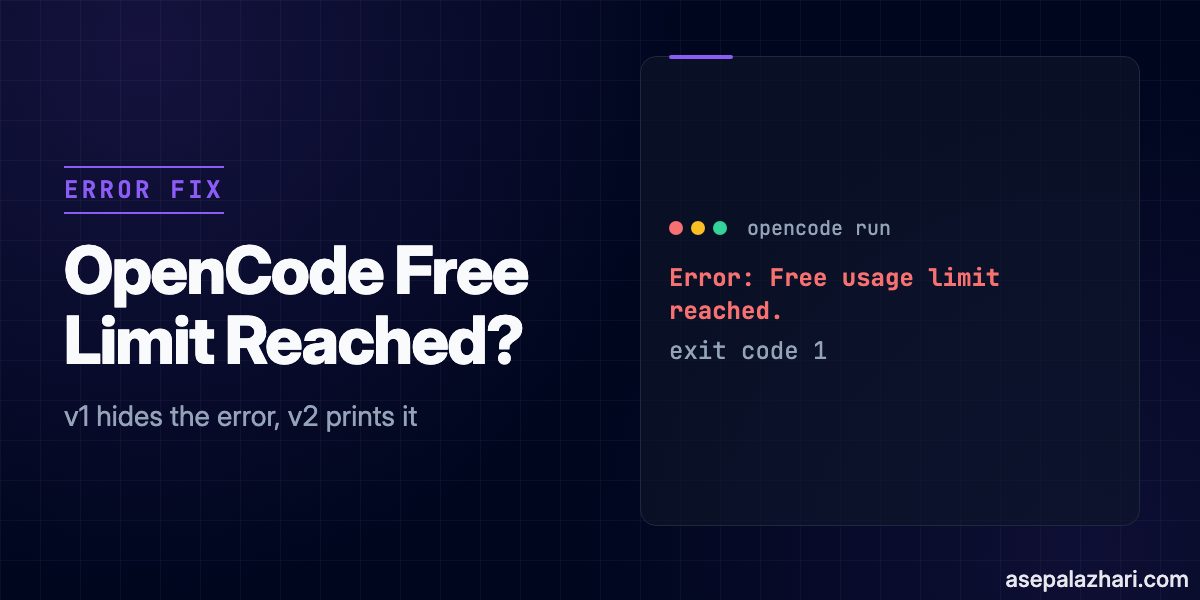
Error: Free usage limit reached. Connect a provider or subscribe to OpenCode Go to keep going, or switch models.
That is OpenCode 2.3.0 telling you the free model quota is used up. It showed up for me with and without a project config, so it is not a config problem. You can connect a provider of your own, subscribe to OpenCode Go, or wait. I hit this on 2026-11-15 on both OpenCode 1.19.0 and 2.3.0, and v1 is the confusing one: opencode run prints nothing and hangs until you kill it.
Quick Fix
The free tier here means the free models OpenCode offers for a limited time, such as DeepSeek V4.1 Flash Free, according to the Console models docs. OpenCode Go is an optional subscription for coding models tested by the OpenCode team, according to the providers docs. I compared its price with other coding plans in my Xiaomi MiMo review.
Confirm that it is the quota first (the next sections show how), then pick one of these. OpenCode documents the first three. The last one is only my observation.
| Option | What to do | Source and status |
|---|---|---|
| Connect your own provider | In the TUI run /connect, choose the provider and enter its credentials, then run /models and pick one of its models | OpenCode providers docs. A model from my own provider ran normally on 1.19.0 and 2.3.0 after the limit |
| Subscribe to OpenCode Go | Subscribe in the OpenCode Console, copy the API key, run /connect, select OpenCode Go, paste the key, then run /models. The docs list Go at 10 dollars a month, Go Plus at 40 dollars a month, and Go Teams at 20 dollars per member a month | OpenCode Go docs. I did not test this |
| Add Console credits | Add credits in the OpenCode Console. A processing fee of 4.6 percent plus 0.31 dollars is added to each purchase | Console models docs. I did not test this |
| Wait | No reset time is documented. I saw no reset after about an hour | My own test, details below |
Also Read: OpenCode YOLO Mode and Multi-Model CLI: Tested Guide
Which Free Tier Error Do You Have?
OpenCode’s maintainers collect free tier problems in issue #59387 and list six messages. They are not all the same problem, so match yours before changing anything.
| Message | What it points to | What to do |
|---|---|---|
Free usage limit reached, or Free usage exceeded, subscribe to Go | The free allowance is used up | The Quick Fix table above |
You've used today's free messages. They reset at ... | The same limit, with a reset time. The issue notes that in some reports the reset never happens | Wait for the reset time, or use another provider |
This version of OpenCode Desktop no longer supports free models | The desktop app is too old. The issue says the v1 desktop updater keeps you on 1.x | Download v2 from the OpenCode docs |
OpenCode 1.18.0 or newer is required to use the free tier | The CLI version is too old | Update OpenCode |
OpenCode's free tier can only be used from within OpenCode | Free models only work inside OpenCode, not through other clients, proxies, or direct API calls | Use OpenCode itself, or another provider |
The last message can also show up inside the official terminal app. A Windows reporter on v2.0.32 in issue #56324 had already upgraded, restarted, and logged in again with opencode auth login opencode, and still got it. That is a different error from the quota one, so a quota fix will not touch it.
Why OpenCode v1 Shows Nothing and Hangs
On v2 the quota error appears right away and the command exits with code 1. On 1.19.0 the same failure is invisible. opencode run "Run: npm run build" printed only its header line, > build · deepseek-v4.1-flash-free, and then waited until my 90 second timeout killed it with exit code 142.
The error is in the log, followed by a retry failure for the session title. Add --print-logs to see it on screen:
opencode run --print-logs -m opencode/deepseek-v4.1-flash-free "Run: npm run build"This is the line it printed on 1.19.0, trimmed to the useful part:
level=ERROR message="stream error" providerID=opencode modelID=deepseek-v4.1-flash-free agent=build error.error="AI_APICallError: Free usage limit reached. Free models work in OpenCode (https://opencode.ai); subscribe to OpenCode Go to keep going: https://opencode.ai/go"The session title request then fails with an AI_RetryError that says it failed after 3 attempts, with the same quota message as its last error. The OpenCode troubleshooting docs put the log at ~/.local/share/opencode/log/opencode.log, so you can also search it afterwards:
grep "Free usage limit" ~/.local/share/opencode/log/opencode.logWhat I Observed on 1.19.0 and 2.3.0
I ran scripted opencode run calls on a throwaway project, with each version using its own data directory. Times are WIB, UTC plus 7, on 2026-11-15.
| Time | Version | Model | Result |
|---|---|---|---|
| 15:15 to 15:16 | 1.19.0 | deepseek-v4.1-flash-free | 14 runs worked, each finishing in roughly 5 to 11 seconds |
| 15:16:49 | 1.19.0 | deepseek-v4.1-flash-free | First limit error in the log. The next two runs hung until my 240 second timeout killed them |
| 15:26 | 2.3.0 | deepseek-v4.1-flash-free | First limit error. 16 runs failed within 13 seconds, each printing the error |
| 15:28 | 1.19.0 | mimo-v2.6-flash-free | Same limit error, so switching to another free model did not help |
| 16:16 | 1.19.0 | deepseek-v4.1-flash-free | Header line only, then a hang until the 90 second timeout. The log has the error |
| 16:17 | 2.3.0 | deepseek-v4.1-flash-free | Failed instantly with exit code 1 and the error |
Other runs had already used the free tier earlier that day, so I cannot tell you how large the quota is or how it is counted. What the table does show is that the limit is shared across free models, and that it was still active about an hour after the first error.
Does Updating to v2 Fix It?
Not for the quota message. Issue #59387 says most free tier reports come from v1 and that updating to v2 fixed this for many people. It also says v1 no longer supports free models. Both of my versions returned the same quota error, and my 1.19.0 runs worked until the quota ran out. For the version messages in the table above, updating may well help.
What Worked for Me
After the limit I switched the TUI to a model from my own provider, set up through 9Router, and it ran normally on both versions. The permission prompts behaved the same as before. I am not publishing my provider config here. The providers docs show the supported setup, including a custom OpenAI-compatible provider.
One thing I would not try: pointing another client or proxy at OpenCode’s free models. The issue says they only work inside OpenCode.
Also Read: DeepSeek V4 Flash Review (2026): What V4.1 Changed
What I Could Not Verify
- The quota size, its time window, and when it resets. No source I found states it.
- The limits and behavior of OpenCode Go beyond the plan prices in the docs.
- Whether the limit is tied to my account, my IP address, or applies to everyone at once.
- Whether
opencode auth login opencodehelps. The reporter in issue #56324 tried it and it did not.
How to Decide
If you see the quota message, do not debug your config. Run once with --print-logs to confirm it, then choose. If you need to keep working today, connect a provider you already have. If you want to stay on OpenCode’s own models, look at Go. If the message is about a version or about running inside OpenCode, it is a different problem and the table above tells you where to go next.