
Next.js RCE Patch 2026: Fix It, Then Harden Your CSP
Vercel patched two critical unauthenticated RCEs in Next.js on August 25, 2026. Here is how to upgrade safely and finally drop unsafe-inline from your CSP.
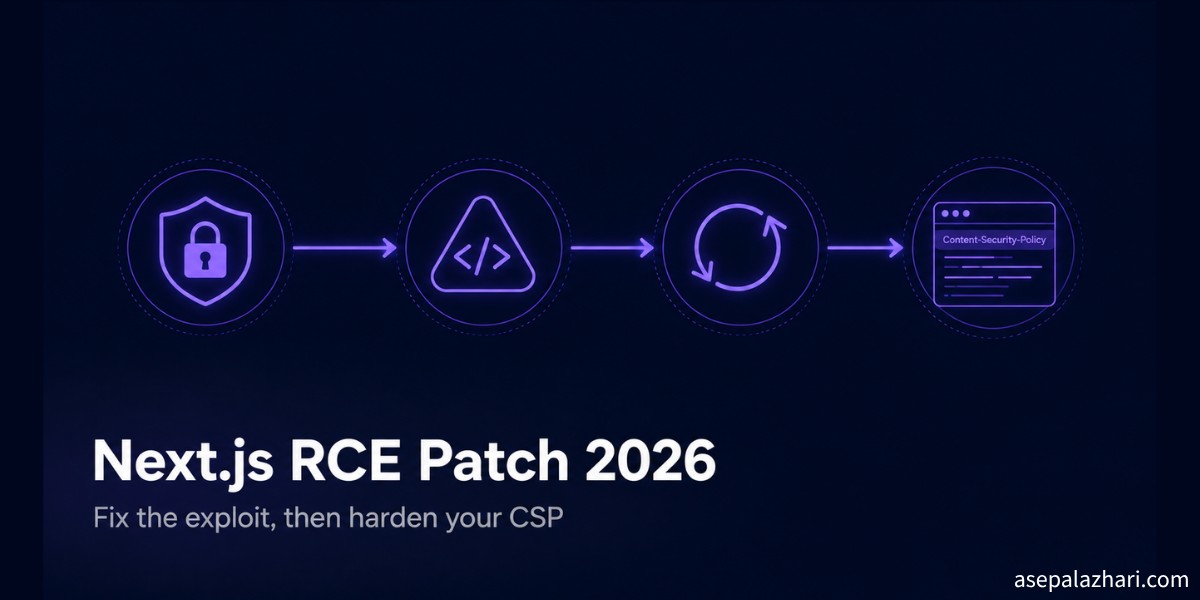
I woke up to a security advisory in my inbox five days ago and my stomach dropped a little. Vercel had just disclosed two critical unauthenticated remote code execution vulnerabilities in Next.js, the framework running most of my production apps. No login required, no user interaction, just a crafted request. I closed my laptop lid for a second, took a breath, and then opened three terminals at once to check every project I had running.
That scramble turned into a proper hardening pass. Not just the version bump the advisory asked for, but a chance to finally fix something I had been putting off for months, a Content Security Policy that still allowed unsafe-inline because ripping it out kept breaking my analytics scripts. Here is everything I did, in the order that actually works.
Key Takeaways
Next.js disclosed two critical unauthenticated RCE vulnerabilities on August 25, 2026, affecting versions 13.4 through 15.5.23 and 16.0 through 16.3.2. Upgrade to 16.3.3 on the Active LTS line or 15.5.24 on Maintenance LTS immediately, since both patches also disable AVIF image optimization as an added mitigation. Once patched, use the moment to remove unsafe-inline from your CSP script-src directive, but only after externalizing every inline script tag on your pages, because the two changes are dependent on each other and doing them out of order will either leave a security hole open or silently break your analytics.
What Happened With the Next.js RCE Vulnerabilities in August 2026?
Vercel disclosed two separate critical vulnerabilities that both allow unauthenticated remote code execution against a Next.js production server. According to the official Next.js August 2026 security release, the first is CVE-2026-75604, a path traversal flaw specific to Windows filesystems. It affects apps using either the Pages Router or the App Router without Cache Components, and it carries a CVSS score of 9.0. Linux and macOS deployments are not affected by this particular flaw, which matters if you deploy on a Windows host or through a Windows based CI runner.
The second is an AVIF image optimization vulnerability rooted in libheif, the underlying image processing library Next.js uses for its built in image optimization. If your app optimizes an attacker controlled AVIF image, for example one uploaded through a public form or fetched from a user supplied URL, the flaw can be triggered without any authentication at all. Coverage from The Hacker News confirmed both issues were patched in the same release cycle, which tells you Vercel treated them as equally urgent.
The affected version ranges are broad. Anything from 13.4 through 15.5.23, and separately 16.0 through 16.3.2, is exposed. If you have not touched your Next.js version in a while, assume you are in that range until you check.
Also Read: Fixing Next.js Docker Build OOM Kills in CI
How Do You Patch the Next.js RCE Vulnerabilities?
Upgrade to Next.js 16.3.3 if you are on the Active LTS line, or 15.5.24 if you are pinned to Maintenance LTS. Both patched releases disable AVIF optimization by default as a safety mitigation, on top of fixing the underlying libheif issue, so you do not need to manually turn anything off yourself.
# check your current version first
npx next --version

# for projects on the 16.x line
npm install [email protected]

# for projects pinned to the 15.x maintenance line
npm install [email protected]
After upgrading, restart your dev server and, more importantly, redeploy production immediately. This is not a patch you sit on for the next sprint. Netlify’s changelog for this release explicitly flagged it as a same day action item for anyone running affected versions, and I agree with that framing. An unauthenticated RCE sitting in production is not a backlog item, it is an incident waiting to happen.
If your team deploys on Windows infrastructure, double check that CVE-2026-75604 specifically is covered by your patched version before marking this done, since it is the one flaw that is platform specific rather than universal.
Why Do You Need to Remove unsafe-inline From Your CSP?
Because unsafe-inline in your script-src directive defeats the entire point of having a Content Security Policy against script injection attacks. A Content Security Policy is an HTTP response header that tells the browser exactly which sources of scripts, styles, and other resources are allowed to run on your page. When script-src includes unsafe-inline, the browser will happily execute any inline script tag it finds, including one an attacker managed to inject through an XSS vulnerability elsewhere in your app. The CSP header exists on paper, but it is not actually blocking the attack it was designed to stop.
I had this exact gap for longer than I want to admit. My CSP looked reasonably strict on the surface, restricting most resource types to my own domain, but script-src still carried unsafe-inline because that is the default a lot of starter templates ship with, and removing it kept breaking my Google Analytics and Microsoft Clarity snippets, which were both sitting as inline script tags directly in my layout.
Why Can You Not Just Delete unsafe-inline and Move On?
Because your page almost certainly still has inline script tags that the browser will refuse to run the moment you tighten the policy, and that includes your analytics. This is the dependency most tutorials skip over. You cannot fix the CSP in isolation. If you delete unsafe-inline from script-src while inline script tags are still sitting in your HTML, every one of those scripts stops executing silently. No console error that looks obviously related, just analytics dashboards that suddenly go quiet and nobody notices for a week.
The fix is to extract every inline script into an external file first, then tighten the CSP second. Here is what that looked like for my Google Analytics and Clarity tags.
Before, sitting directly in the page as inline scripts:
<script>
    window.dataLayer = window.dataLayer || [];
    function gtag() {
        dataLayer.push(arguments);
    }
    gtag("js", new Date());
    gtag("config", "G-XXXXXXXXXX");
</script>
After, moved to public/scripts/analytics.js and loaded as an external file:
<script src="/scripts/analytics.js" async></script>// public/scripts/analytics.js
window.dataLayer = window.dataLayer || [];
function gtag() {
dataLayer.push(arguments);
}
gtag("js", new Date());
gtag("config", "G-XXXXXXXXXX");Once every inline script tag on the page is gone, tightening the header is safe.
Before, with the gap left open:
Content-Security-Policy: default-src 'self'; script-src 'self' 'unsafe-inline' https://www.googletagmanager.com;After, with the gap closed:
Content-Security-Policy: default-src 'self'; script-src 'self' https://www.googletagmanager.com;Also Read: Next.js 16 Release: Blazing Fast Startup and Build Stability
Should You Use a Nonce Instead of Externalizing Scripts?
Yes, if you have third party scripts you genuinely cannot move to an external file. A nonce is a random, single use token generated per request that you attach to both your CSP header and the specific inline script tags you still need to allow. The browser only executes an inline script whose nonce attribute matches the one declared in the header for that exact request, which means an attacker injected script without the correct nonce simply will not run, even under a policy that still permits some inline execution.
Content-Security-Policy: script-src 'self' 'nonce-r4nd0mVaLu3PerRequest';<script nonce="r4nd0mVaLu3PerRequest">
// this specific inline script is allowed to run
</script>Externalizing is simpler and I recommend it as the default whenever the script content does not need to be dynamically generated per request. Reach for nonces only when a third party vendor script insists on inline injection and you have no control over that.
Frequently Asked Questions
What Next.js versions are affected by the August 2026 RCE vulnerabilities? Versions 13.4 through 15.5.23 and 16.0 through 16.3.2 are affected by one or both of the two critical unauthenticated RCE vulnerabilities disclosed on August 25, 2026.
What version of Next.js fixes the RCE vulnerabilities? Upgrade to 16.3.3 on the Active LTS line or 15.5.24 on Maintenance LTS. Both releases patch the vulnerabilities and disable AVIF image optimization by default as an added mitigation.
Does upgrading Next.js automatically fix my CSP? No, the version upgrade only patches the RCE vulnerabilities. Removing unsafe-inline from your CSP is a separate hardening step you should do afterward, and it requires externalizing your inline scripts first.
Will removing unsafe-inline from my CSP break my analytics scripts? Yes, if those scripts are still written as inline script tags. Move the script content into an external file under your public directory and reference it with a src attribute before you tighten the CSP header.
Is my app affected by CVE-2026-75604 if I deploy on Linux? No, CVE-2026-75604 is a path traversal flaw specific to Windows filesystems. It does not affect Linux or macOS deployments, but the separate AVIF optimization RCE in the same disclosure does affect all platforms.
Patching the RCE was the easy part, one command and a redeploy. Fixing the CSP gap took longer because it meant untangling analytics scripts I had copy pasted years ago without thinking twice. If you only do one thing after reading this, upgrade today. If you do two, use the redeploy as your excuse to finally close that unsafe-inline gap too.