
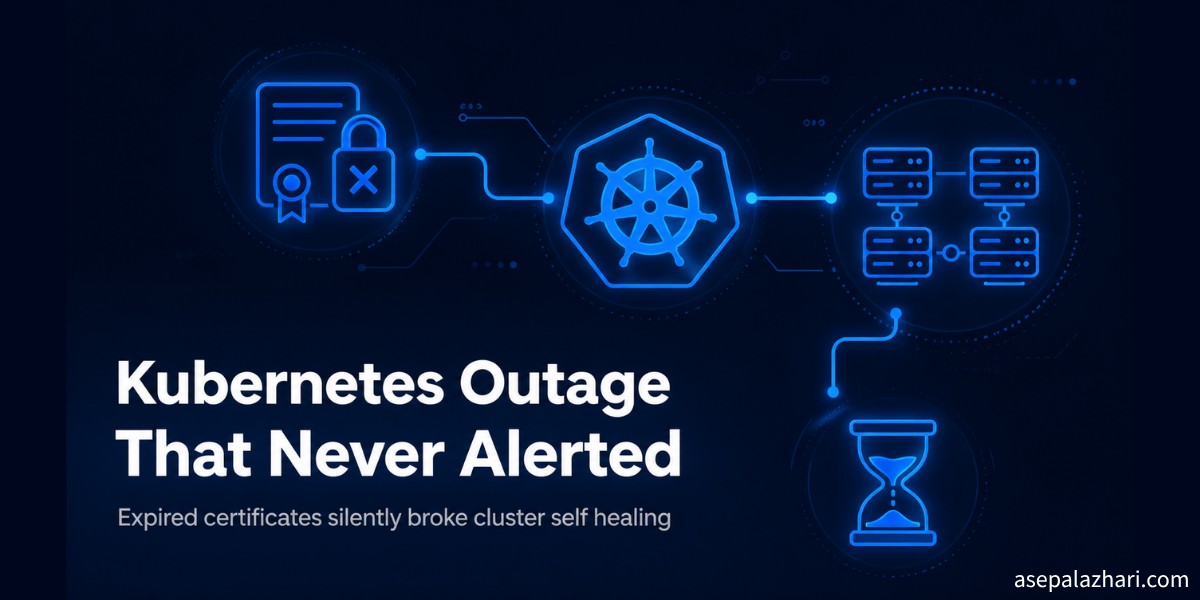
We Found a Kubernetes Outage That Never Alerted
A noisy DaemonSet log led us to control plane certificates that had been expired for 16 days with zero alerts. Here is the full story and the fix.
It started with something boring. A DaemonSet pod was throwing the same mount error over and over, tens of thousands of times, and nobody had noticed because the pod next to it looked perfectly healthy. I only opened the event list because the number looked funny.
Two hours later I was staring at a cluster where the control plane had been quietly unable to heal itself for over two weeks, and nobody, no dashboard, no alert, no on call page, had said a word about it. That gap between “the app still works” and “the cluster is actually healthy” is the reason this incident is worth writing down.
Key Takeaways
- A noisy
FailedMountlog on one DaemonSet was cosmetic. It was caused by Docker being left disabled on a few nodes after a reboot. - Chasing that noise surfaced a second, unrelated dead end: a leftover Docker Swarm control plane with expired internal certificates, still running years after the cluster moved to Kubernetes.
- The real finding was that every kubeadm issued control plane certificate in the cluster had expired 16 days earlier, silently disabling
kube-controller-managerandkube-scheduleron both nodes. - End users saw zero downtime, because kubelet keeps already scheduled pods running on its own. What was actually broken was self healing: no new rollout, no HPA scaling, no automatic node recovery, for over two weeks.
- The fix is
kubeadm certs renew allplus a careful, one node at a time restart of etcd, the API server, the controller manager, and the scheduler. - We shipped two DaemonSets afterward: one that keeps Docker enabled on every node, and one that checks certificate expiry daily and renews files automatically before they become a crisis.
What Was the First Symptom?
The first symptom was pure noise: repeating FailedMount events on a DaemonSet pod, with counts north of 90,000 occurrences on a single pod. kubectl describe pointed at the reason directly:
MountVolume.SetUp failed for volume "docker-sock":
hostPath type check failed: /var/run/docker.sock is not a socket file
That DaemonSet mounts /var/run/docker.sock with hostPath.type: Socket, which tells kubelet to verify the file is a real socket before it will mount it. If Docker is not running, the file either does not exist or is not a socket, and kubelet retries forever, logging an event every single time.
Three of six nodes were affected. SSH into one of them confirmed it in one line: docker.service was disabled and inactive (dead). Docker had been installed on every node for an older CI workflow, but only half of them ever had it enabled to start on boot. A routine reboot silently took Docker down on the other half, and the only visible trace was an ever growing event counter that everyone had learned to ignore.
Fix: sudo systemctl enable --now docker on each affected node. The pods self healed within seconds, because kubelet’s own retry loop is already a form of self healing once the underlying condition clears.
Why Was There a Second, Unrelated Problem?
While confirming Docker’s status across every node, the daemon logs on all of them showed the same repeating error:
level=error msg="failed to renew the certificate" error="...dial tcp <internal-ip>:2377: connect: connection refused"
level=warning msg="the current TLS certificate is expired..."
This cluster had been migrated from Docker Swarm to Kubernetes a long time ago, and Swarm mode was never formally decommissioned. Its internal manager certificates had expired, and every node kept retrying a connection to a manager that no longer existed. docker node ls confirmed the swarm’s manager state was already gone, so no live Swarm workload could possibly be running. It was pure log noise and wasted retry cycles, safe to remove with docker swarm leave --force on every node.
This is a good rule of thumb worth repeating: when you decommission an old orchestration layer, decommission it everywhere, not just stop using it. A half removed system will keep making noise long after everyone has stopped paying attention to it.
Building a Watchdog for the First Problem
Rather than relying on someone noticing the event spam again, we built a small watchdog DaemonSet. Unlike the original cleanup pod, it does not mount docker.sock at all, so it can start and run even while Docker is completely down. Instead it uses hostPID: true and a privileged container to nsenter into the host’s own namespace and run systemctl enable --now docker on a five minute loop if it finds Docker inactive.
That single design choice, not depending on the thing you are trying to fix, turned out to matter again later in this same incident.
How Did the DaemonSet Controller Get Stuck?
Deploying that new watchdog produced something worse than the original noise: the DaemonSet sat at DESIRED: 0, CURRENT: 0 and never moved. Its status.observedGeneration field never populated at all, which is a strong signal that the DaemonSet controller had never processed the object.
Cross checking the original, already running DaemonSet confirmed it: its status had been frozen for hours, reporting a stale ready count even though every one of its pods was genuinely healthy. A DaemonSet whose observedGeneration never matches its generation means the controller managing it is not reconciling anything at all, not just this one object.
The first hypothesis was a stuck leader process, so kubectl delete pod was tried against the controller manager’s pod. That did nothing, because for a static pod, deleting through the API only removes the mirror object kubelet publishes. The real container underneath was untouched and kept running. The correct way to force a real restart of a static pod is to stop its actual container on the host, for example with crictl stop, and let kubelet’s restartPolicy: Always bring it back.
A real restart happened. Reconciliation still did not resume. That ruled out “stuck process” completely and pointed at something deeper.
What Was the Real Root Cause?
The freshly restarted controller manager’s own logs gave the answer immediately:
error retrieving resource lock kube-system/kube-controller-manager:
  tls: failed to verify certificate: x509: certificate has expired or is not yet valid:
  current time ... is after ...
kubeadm certs check-expiration on both control plane nodes confirmed it in full. Every kubeadm managed leaf certificate, the API server cert, the etcd peer and client certs, controller-manager.conf, scheduler.conf, admin.conf, and front-proxy-client, had expired on the same day, roughly two weeks earlier. Only the root certificate authorities, valid for another decade, were untouched.
A kubeadm managed leaf certificate is a TLS certificate issued during cluster bootstrap that authenticates control plane components to each other, and by default it is only valid for one year. This cluster had never been upgraded since it was first bootstrapped, so that one year clock ran out with nothing to reset it.
Why Did Nobody Get Alerted for 16 Days?
Because the tool used for day to day cluster access went through a proxy configured with insecure-skip-tls-verify: true, which never validates the expired API server certificate. Every kubectl command run through that path looked completely normal.
Already running application pods were unaffected too, since kubelet’s own client certificate rotates independently of the static kubeadm issued files. The only things doing strict TLS verification directly against the affected certificates were kube-controller-manager and kube-scheduler, and they simply logged an authentication error into a log stream nobody was watching.
This is the core lesson of the whole incident: a cluster can look completely healthy from every angle you normally check while its self healing loop has been dead for over two weeks.
How Do You Fix Expired Kubernetes Control Plane Certificates?
The short answer is kubeadm certs renew all, followed by a careful, one node at a time restart of every affected control plane component. The long answer is that order matters and skipping steps can cause a full outage, not just fix a silent one.
- Renew certificates on the first control plane node with
sudo kubeadm certs renew all. This only rewrites files on disk, so it has zero effect on running processes yet. - Restart etcd on that node first, since the API server depends on it.
- On a cluster with only two control plane nodes, this is the dangerous step: etcd needs a majority of its members to agree, and two nodes means there is no slack at all. Restarting etcd on one node while the other side’s certificates are still expired will make the two members reject each other, and quorum is lost until both sides are fresh.
- Immediately renew and restart the second node the same way. Quorum re-forms within seconds once both sides trust each other’s new certificates again.
- Restart the API server on each node, verifying
kubectl get nodesafter each one. - Restart the controller manager and the scheduler on each node, and confirm the leader election identity actually changed, which proves a genuine new election happened rather than a stale lease surviving the restart.
# On the node being renewed
sudo kubeadm certs renew all

# etcd first, restartPolicy: Always means kubelet recreates it
sudo crictl ps | grep etcd
sudo crictl stop <etcd-container-id>
sudo crictl logs --tail 20 <new-container-id>

# then the API server
sudo crictl ps | grep kube-apiserver
sudo crictl stop <apiserver-container-id>

# then controller manager and scheduler
sudo crictl stop <controller-manager-id>
sudo crictl stop <scheduler-id>

kubectl get nodes
kubectl get lease -n kube-system kube-controller-manager -o jsonpath='{.spec.holderIdentity}'
In our case, restarting etcd on the first node did briefly break quorum, causing about a minute of full API unavailability. That was the only user visible impact of this entire incident, and it was caused by the fix itself, not by the original 16 day outage.
Is a Two Node Control Plane Actually Safe?
Not really, and this incident is a clean demonstration of why. With two etcd members, losing either one loses the majority, which technically makes two members worse than running just one for quorum purposes. Any maintenance that touches etcd on a two node control plane will cause a brief availability blip, full stop.
The standard fix is a third control plane node, which lets the cluster tolerate one node being briefly unavailable without losing quorum. If a third node genuinely is not feasible, the next best thing is documenting this fragility clearly, so every future certificate renewal, patch, or reboot is done one node at a time with quorum checked before touching the second node.
What Did We Build to Prevent a Repeat?
Two safeguards, both deliberately narrow in scope.
The first is the Docker watchdog described earlier: it checks Docker’s state every five minutes on every node and re-enables it if needed, without depending on Docker itself being available to run.
The second is a certificate expiry watchdog that runs daily on both control plane nodes. It checks every live certificate file, logs visibly at 90, 60, and 14 day thresholds, and automatically renews the files (not the running processes) once any certificate drops below 60 days remaining. Renewing a certificate file that is still valid is a safe, idempotent operation according to kubeadm’s own documentation, it never invalidates something that is currently trusted. It deliberately does not auto restart any control plane component, because that decision has to account for the quorum risk above, and that step stays a human call.
The first version of this watchdog had a real bug: it tried to install a missing tool inside the container and read certificates through a host mount, but the cluster’s pod network had no reliable outbound access to fetch that tool. Every check failed with a command not found error, which the script’s own fail safe logic misread as “certificate is expiring,” triggering false critical alerts and an unbounded renewal call with no timeout. It was pulled within minutes, verified harmless, and rebuilt to run its checks directly on the host through the same privileged pattern already proven safe in the Docker watchdog, with every external call wrapped in a timeout so nothing can hang again.
Frequently Asked Questions
How long are kubeadm certificates valid by default? Kubeadm issues most control plane leaf certificates with a default validity of one year from cluster bootstrap. Root certificate authorities last far longer, typically a decade, which is why only the leaf certificates expired in this incident.
Does an expired control plane certificate take down running applications? No. Already scheduled pods keep running because kubelet manages them independently and rotates its own client certificate on its own schedule. What breaks is cluster self healing: new deployments, HPA scaling decisions, and node health reconciliation, all of which depend on the controller manager and scheduler authenticating successfully.
Why didn’t monitoring catch this for over two weeks? Because the access path used for routine checks skipped certificate validation entirely, so it kept working normally even after the real certificates expired. Only components performing strict TLS verification against the actual PKI were affected, and their errors went into a log nobody was watching.
Is renewing kubeadm certificates safe to do on a live cluster? Renewing the certificate files themselves is safe and does not disrupt running processes. The risk is entirely in restarting the processes afterward, especially etcd on a control plane with no quorum slack, which is why a one node at a time sequence with health checks between steps matters.
Does a cluster upgrade also renew certificates? Yes. kubeadm upgrade apply and kubeadm upgrade node renew all control plane certificates as a side effect by default. A cluster that goes a full year without any version upgrade loses that safety net entirely, which is exactly what happened here.
Closing Thoughts
The most useful habit that came out of this incident was not a new tool, it was a new question: does “the app is up” actually mean “the cluster is healthy,” or could self healing have been dead for weeks without anyone knowing? Those are two different claims, and only one of them was being checked here.
If you run kubeadm anywhere, it is worth running sudo kubeadm certs check-expiration right now, today, rather than waiting for a noisy log to send you looking. If you found this useful, you might also enjoy MySQL Gone Away: HAProxy, Galera, and Ghost Processes, another production incident where the visible symptom and the real cause turned out to be two very different things, or Why Your SSL Certificate Is Only 6 Months Now for more on why certificate lifetimes keep getting shorter across the industry.