

gtag Config Not Firing: dataLayer.push(arguments) Fix
gtag config not firing? A custom gtag helper that pushes an array loads gtag.js but sends no hit. Tested 4 variants in Chrome, with the fix and a Bun test.
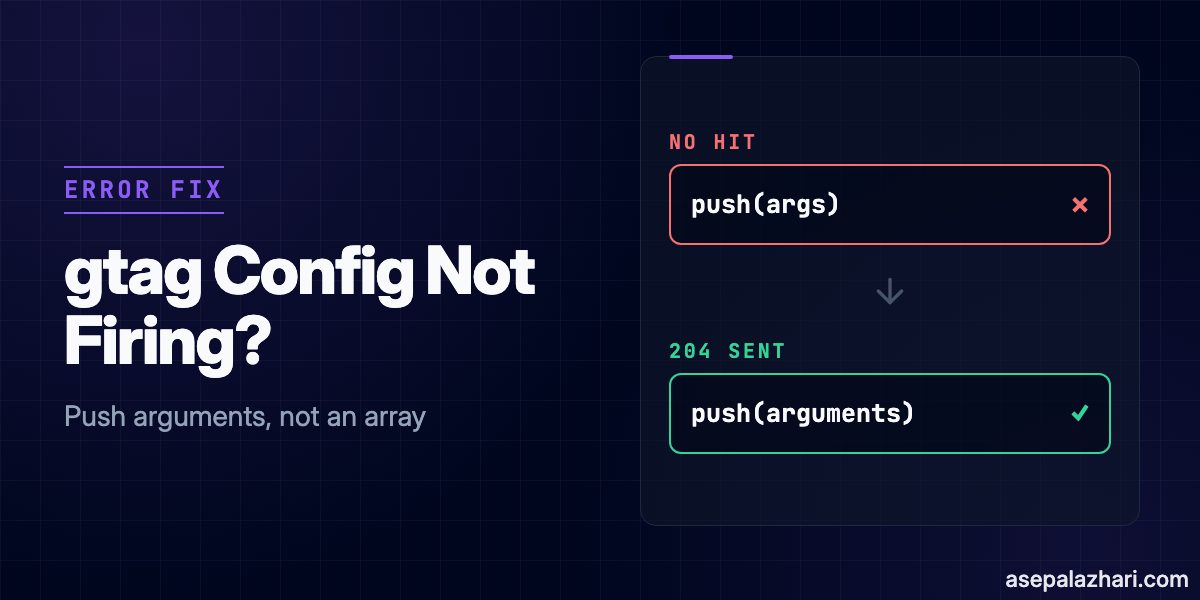
If gtag.js loads but gtag('config') never sends a hit, look at what your custom gtag helper pushes into dataLayer. It has to push the function’s arguments object. Push a plain array holding the exact same values and gtag.js still loads with a 200, but the config command is ignored and no hit ever leaves the browser.
I ran into this after moving a manual Google Analytics install out of the HTML head and into app code. Below is the one-line fix, the four helper variants I tested in Chrome, and a unit test that stops the bug from coming back.
Quick Fix: Push the arguments Object
Use Google’s own helper exactly as published and do not “modernize” it.
window.dataLayer = window.dataLayer || [];

function gtag() {
    dataLayer.push(arguments);
}

gtag("js", new Date());
gtag("config", "G-XXXXXXXXXX");
Two rules matter here. The helper must be a regular function, not an arrow function, and it must push arguments itself, not a copy of it. A copy made with Array.prototype.slice.call(arguments) or a ...args rest parameter is an array, and that is exactly the shape that fails.
What I Tested
I built one HTML page that loads the real gtag.js from googletagmanager.com with a fake measurement ID, G-TESTFAKE01, so no hit could land in a real property. Only the helper changed between runs. I used Chrome 154 on macOS, then read window.dataLayer and the Network panel.
| Helper variant | Type of each gtag() entry | gtag.js request | Request to g/collect |
|---|---|---|---|
dataLayer.push(arguments) | [object Arguments] | 200 | POST, 204 |
dataLayer.push(Array.prototype.slice.call(arguments)) | [object Array] | 200 | none after 3 seconds |
function gtag(...args) { dataLayer.push(args); } | [object Array] | 200 | none after 8 seconds |
arrow function that uses arguments | nothing queued | 200 | not applicable |
The type column comes from Object.prototype.toString.call(entry) on every item in dataLayer. In the working run, gtag.js also added two plain object entries of its own after it loaded, which is normal.
The failure is quiet. Pushing an array into dataLayer is valid JavaScript, so nothing throws, and the script tag itself looks healthy in the Network panel. You only notice that the hit is missing.
Why an Array Gets Ignored
Google’s documentation only ever shows dataLayer.push(arguments). The Tag Manager template API createArgumentsQueue is documented as pushing the function’s arguments object onto the array. Google does not document what happens when you push an array instead, so the next part is my reading of the results, not a quote.
A dataLayer holds two kinds of entries. Plain objects such as { event: "purchase" } are for Tag Manager triggers. Command entries from gtag() are meant to be Arguments objects. My inference is that the queue reader uses the shape of the entry to tell the two apart, so an array matches neither and gets skipped. The observed result is solid. The explanation is an inference.
The Arrow Function Trap
Arrow functions have no arguments of their own. Rewriting Google’s snippet as const gtag = () => { dataLayer.push(arguments); } is an easy way to break it while “cleaning up” the code.
At the top level of my classic script, that version threw ReferenceError: arguments is not defined, and the dataLayer ended up with only the two plain objects from gtag.js. Inside another function, an arrow would reach for that outer function’s arguments without any error, which is JavaScript scoping and is harder to spot. The safe route in TypeScript is a normal function plus a lint comment.
How to Verify It in DevTools
You can confirm the fix in under a minute.
- Open the Network panel, tick Preserve log, and filter by
collect. If your flow redirects the visitor away right after loading analytics, the page is gone before you can look, and Preserve log keeps the request visible. - Run this in the console after the page loads.
dataLayer.map((entry) => Object.prototype.toString.call(entry));- Every entry that came from
gtag()should read[object Arguments]. An[object Array]in that list is the bug.
With a real measurement ID, the GA4 Realtime report and DebugView confirm the hit on Google’s side. The Network check is faster and works without a real property.
A Unit Test That Catches It
The bug is invisible at runtime, so a test is the cheapest guard. This one checks the type of every queued entry, and it also proves the check fails for the array version. I ran it on Bun 1.3.1.
import { afterEach, describe, expect, test } from "bun:test";
import { installGtag, type GtagWindow } from "./analytics";

const tagOf = (value: unknown) => Object.prototype.toString.call(value);

describe("gtag dataLayer queue", () => {
    let win: GtagWindow;

    afterEach(() => {
        win = { dataLayer: [] };
    });

    test("every gtag() call is queued as an Arguments object", () => {
        win = { dataLayer: [] };
        installGtag(win);
        win.gtag!("js", new Date());
        win.gtag!("config", "G-TESTFAKE01");

        expect(win.dataLayer).toHaveLength(2);
        for (const entry of win.dataLayer) {
            expect(tagOf(entry)).toBe("[object Arguments]");
        }
    });

    test("catches the array regression", () => {
        win = { dataLayer: [] };
        win.gtag = (...args: unknown[]) => {
            win.dataLayer.push(args);
        };
        win.gtag("config", "G-TESTFAKE01");

        expect(tagOf(win.dataLayer[0])).toBe("[object Array]");
        expect(tagOf(win.dataLayer[0])).not.toBe("[object Arguments]");
    });
});
The helper under test is the same function declaration as the quick fix, wrapped in installGtag(win) so a test can pass in a fake window. Output was 2 pass, 0 fail, 5 expect() calls.
One more lesson from the same project. If your tests plant a gtag.js script tag in the DOM, remove it and reset dataLayer in afterEach. A leaked script tag made one of my tests pass alone and fail under bun test --randomize, and it showed up with seeds 1 and 3. If you want a quick overview of the runner itself, I compared it with Node and Deno in Bun vs Node.js vs Deno: 2026 Runtime Comparison.
Other Reasons gtag Config Does Not Fire
If the helper already pushes arguments, work through this list.
- A site object named
dataLayerreplaced the array. An Adobe Experience League thread traceddataLayer.push is not a functionto exactly that. Rename the custom object. - Something reassigns
window.dataLayerafter the snippet runs. Simo Ahava explains that redefining it after GTM loads breaks GTM’s hooks onpush(). Always usewindow.dataLayer = window.dataLayer || []. - Command order is wrong. Google’s diagnostics help lists a “Config command out of order” warning when an event runs before its config command.
- A CSP or an ad blocker stops the script. That one does show up as a console or network error, and I covered the CSP side in Next.js RCE Patch 2026: Fix It, Then Harden Your CSP.
- A Tag Manager container snippet and a standalone config line share one page. ppc.land reports a Google Tag Manager release note from early October 2026 saying gtm.js containers now initialize regardless of
gtag('config')commands, and that config commands appear in the dataLayer asgtag.configevents. That is a different problem from this one, because here the config command is never recognized at all. Sources disagree on the exact date, so read Google’s own release note before you change anything.
If you copy one thing from this post, copy Google’s helper unchanged and add the type test next to it. Rewrite the helper only when a test is watching the queue.
![shadcn ScrollArea Not Scrolling in Dialog: Fix [2026]](https://cdn.asepalazhari.com/images/articles/web-development/shadcn-scrollarea-not-scrolling-dialog-fix.jpeg)